[ANSWERED] Timecode + moving through scenes
-
I have a project which several scenes, and it receives timecode from another computer.
Let's say I have a list with timecode intervals, something like:
Scene 1: 00:00:00:00 - 00:02:30:00
Scene 2: 00:02:30:01 - 00:05:00:00And I want to create an actor that will read the incoming MTC and immediately jump to the correct scene.
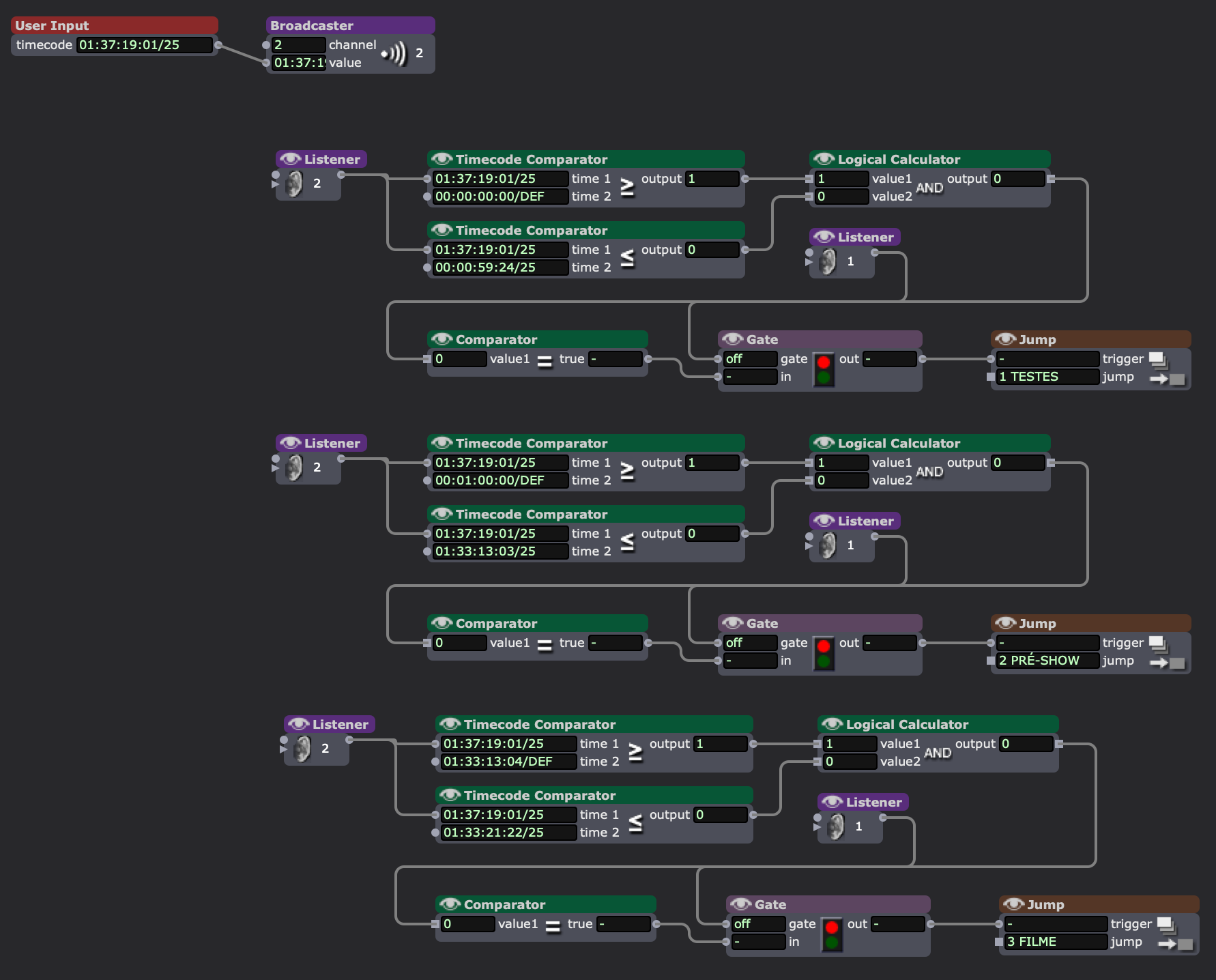
I have done something similar that worked (see pic), but it was kinda exhaustive because I had to input all the intervals manually, and I was thinking about something more dynamic, maybe with JavaScript and a text file with the intervals? Any other ideas?
-
@gpeddino I have been using Chataigne - it's a free open source timeline tool for Windows/mac/Linux. https://benjamin.kuperberg.fr/... Just sent a simple OSC, or MIDI message out into Isadora, super simple.
Graham Thorne | www.grahamthorne.co.uk
RIG 1: Custom-built PC: Windows 11. Ryzen 7 7700X, RTX3080, 32G DDR5 RAM. 2 x m.2.
RIG 2: Laptop MSI Vector 16 HX AI: Windows 11, Intel Ultra 9. RTX5070ti, 32G RAM (DDR5 6000htz), NVME M.2 SSD.
RIG 3: Apple Laptop: rMBP i7, 8gig RAM 256 SSD, HD, OS X 10.12.12 -
@skulpture I made a tutorial about this actually....
-
@gpeddino said:
And I want to create an actor that will read the incoming MTC and immediately jump to the correct scene.
The question for me, is how do you find editing these timecodes to be easiest. I would build your approach around what you find easiest to edit/adjust.