Ableton / Max4Live Devices to control Isadora via OSC and Audio
-
Hi there! I work as an audio engineer in theater, and I wanted to be able to precisely control other departments, such as lighting and video, along with audio. I was really unhappy with the existing options, so I decided to build my own Max for Live devices.
If you are running a show with Ableton / M4L & Isadora, these devices might be just as useful for you.
There are two devices online, until now:
Liveaudio 2 OSC:
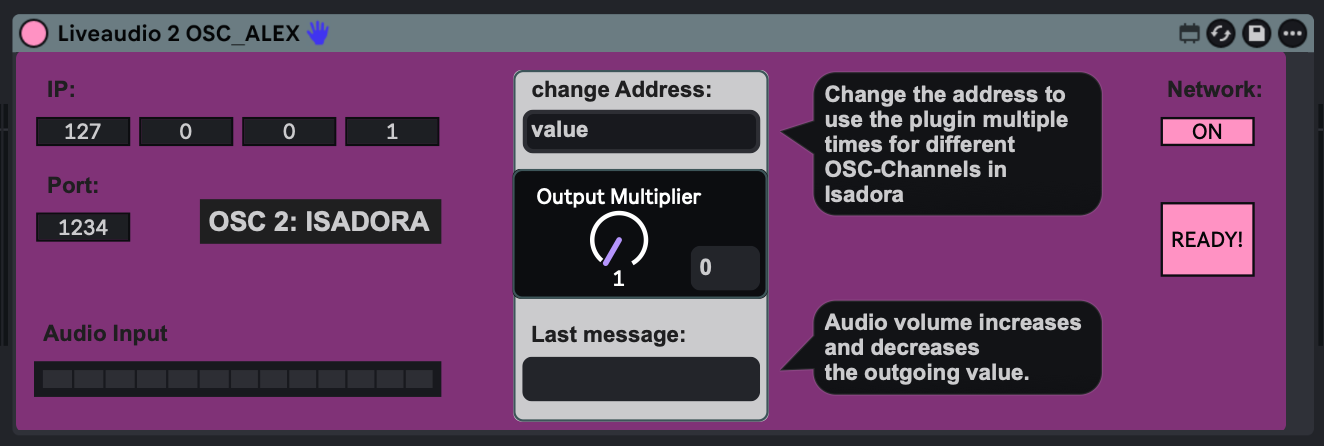
This plugin allows you to send OSC values to Isadora, depending on the incoming audio. For example, you can apply it to the brightness level of your projection: the louder the incoming audio, the brighter the projection. You can also use it for zoom, color, position, and more.
Audio-Automation 2 OSC:
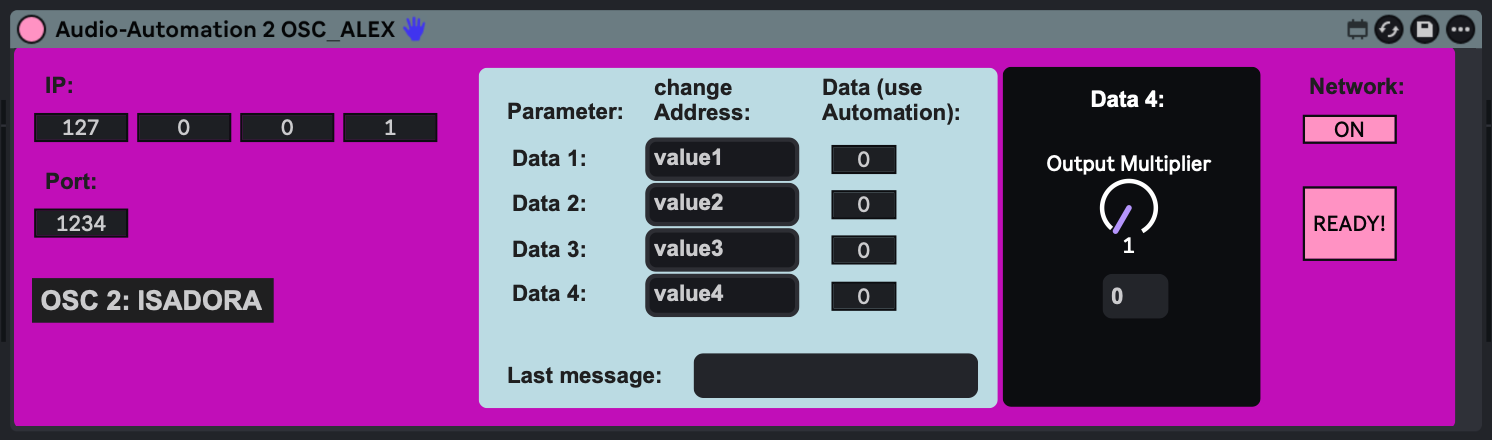
With this plugin, you can use four different strings to send four different values to Isadora. For example, you can apply them to the brightness level of your projection simply by writing automations on your audio track. You can also use them for zoom, color, position, and much more.
Here are some videos, to explain, what the devices do: https://youtube.com/playlist?l...
I really hope this is useful for you and that you have a lot of fun using it!
Cheers, Alex
-
This looks very interesting. Could you provide a download link for the Max for Live devices?
We'd also love it if you could upload them to the Add-Ons Page with your description, as posts with useful tools eventually get buried in the forum over time.
TroikaTronix Technical Support
New Support Ticket: https://support.troikatronix.com/support/tickets/new
Support Policy: https://support.troikatronix.com/support/solutions/articles/13000064762
Add-Ons: https://troikatronix.com/add-ons/ & https://troikatronix.com/add-ons/?u=woland
Professional Services: https://support.troikatronix.com/support/solutions/articles/13000109444| Isadora Version: all of them | Mac Pro (Late 2013), macOS 10.14.6, 3.5GHz 6-core, 1TB SSD, 64GB RAM, Dual AMD FirePro D700s |
-
Sure, here we go:
Liveaudio 2 OSC:
https://alexxaudio.gumroad.com...Audio-Automation 2 OSC:
https://alexxaudio.gumroad.com...