*COMMUNITY ACTION - MUST READ* MacOS Monterey "Orange Dot" Security Warning - Write Apple Now!
-
Dear Community,
In their infinite wisdom, Apple has added a security feature that negatively affects every audio/video app that uses one of the displays to output to a video projector, including our beloved Isadora. In MacOS Monterey, if any macOS app starts capturing audio an "orange dot" appears to warn you on the primarily display and on all secondary displays. In our particular case, this means that this orange dot appears on the stage output, which is totally unacceptable for anyone using macOS as a professional video tool that sends video output to a video projector.
Here are screenshots of what this looks like:

Everyone needs to write Apple to complain about this, because there is no way for a user to disable it and there is there is is no way that Isadora itself (or any other software) can disable the dot.
Please go to the feedback page for macOS and:
- Enter a subject Line: Orange Dot Security Feature Makes My Computer Unusable for Professional Work
- Set the Feedback Type to Bug Report
- Set the Feedback Area to User Interface
- Finally you can either copy and paste the message below (fits within the 800 character limit) or write your own.
This must get fixed and we need to make some noise to make sure it does.
Sincerely,
MarkP.S. Mucho credit to Andy Carluccio (@liminal_andy) who brought this to my attention.
------
I am an audio/video designer who relies on Apple products and macOS for my livelihood. The new security feature in macOS Monterey -- which shows an orange dot at the top right of every display when any app is recording audio -- has rendered my machine unusable for my professional work. You must introduce an update that allows users to disable this feature immediately.
Why? Because I send the output of the external displays to video projectors for all manner of live events. To have this dot rendered on top of video content intended for thousands of audience members makes my sizable investment in Apple hardware worthless.
You now must offer a way to disable this feature as soon as possible. Every day you delay in addressing this issue is a day where I cannot do a live show.
Media Artist & Creator of Isadora
Macintosh SE-30, 32 Mb RAM, MacOS 7.6, Dual Floppy Drives -
P.S. If you use Twitter, you could also voice your complaint by replying to this tweet from Apple Support.
Media Artist & Creator of Isadora
Macintosh SE-30, 32 Mb RAM, MacOS 7.6, Dual Floppy Drives -
Bravo Mark!
Nice article in https://www.macrumors.com quoting you!
Mac Studio M2-Ultra, MacBook Pro M1 Ultra. OSX-14.4.1
-
lotta ignorance in those comments though... :-(
on the upside - it makes me realise how sweet and kind the Troika Forum is, compared to these snark pits...
-
As an audiovisual artist, I would simply use the blanking / masking feature of my projector to slightly crop the right side of the video output (on my Sony projector, that's #4 pixels of blanking) or the top (on my Sony projector, that's #6 pixels of blanking). Then, if I needed to, I would adjust the focal length of the lens and the lens shift to re-align the projected image onto my projection surface, whether it be a projection screen or a 3D surface for mapping.
-
@mark In the meantime here’s a quick fix using AppleScript
tell application "System Events" to tell application process "Control Centre" --US and International English users should use "Control Center"
repeat with eachwindow in windows
set theCurrentPosition to the position ofeachwindow
set the position of eachwindow to {(item 1 oftheCurrentPosition), -20} --this sets the dot position above the bounds of each display
end repeat
end tell
It's unclear if the fact that position is a modifiable attribute of windows of "control centre" is by design or just an oversight, most of the other attributes are non modifiable, so it's essential to continue to send bug reports to apple explaining the impact the orange dot on displays that don't show the menu bar has on the events and theatre industries, as it's probably very easy for Apple to make this a non modifiable attribute in future security updates or OS versions, if they didn't intend users to be able to modify those attributes in the first place.
-
Done ! Thanks for telling us. I have COVID so far from Izzy for a while. But even sick we need to take action dor that stupid orange dot.
-
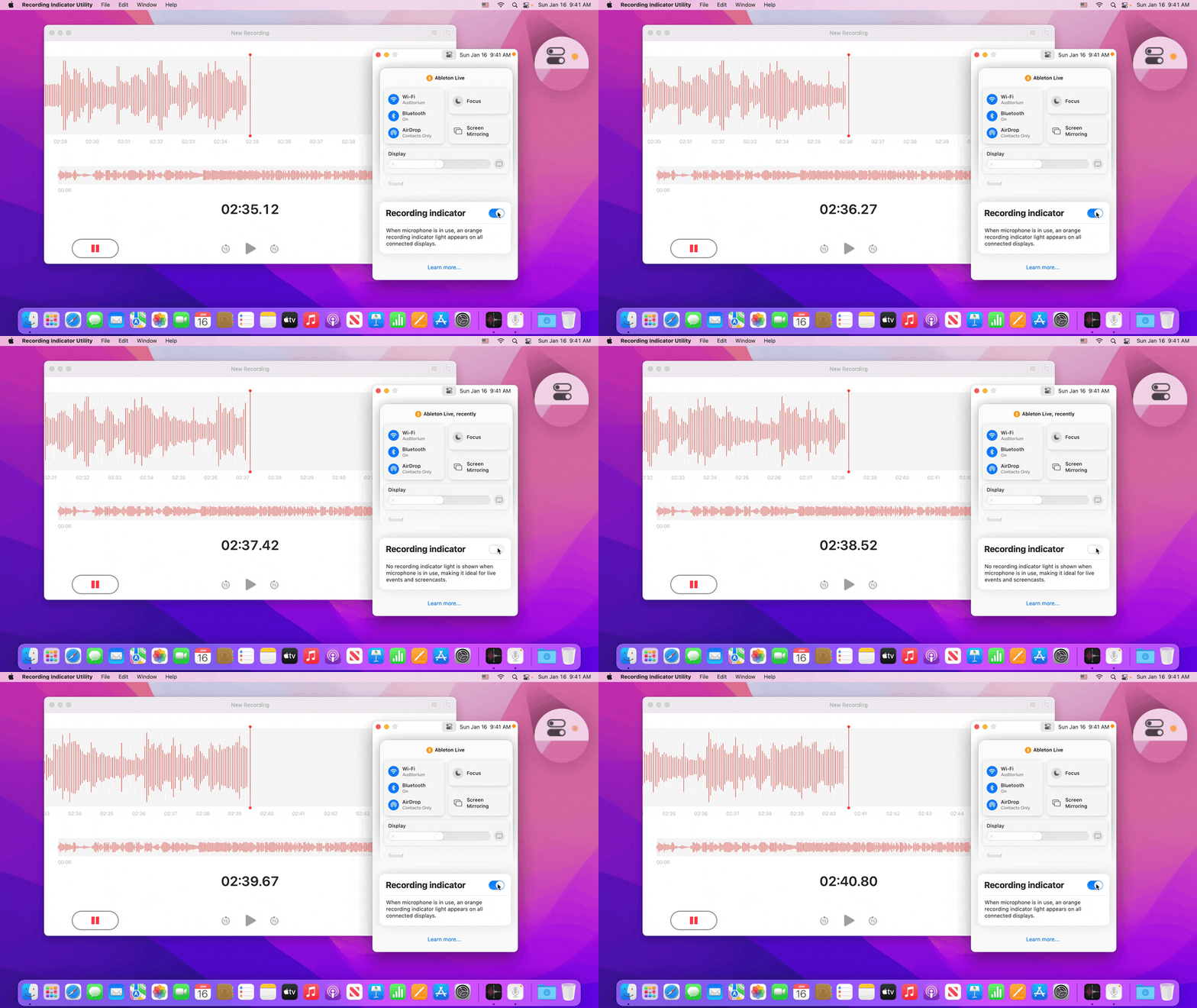
In macOS Monterey 12.2, the recording indicator has moved into a lower-level system component called WindowServer, so exiting solutions like undot, YellowDot, and AppleScript can no longer move or hide it. Hiding the microphone recording indicator light requires a new approach.
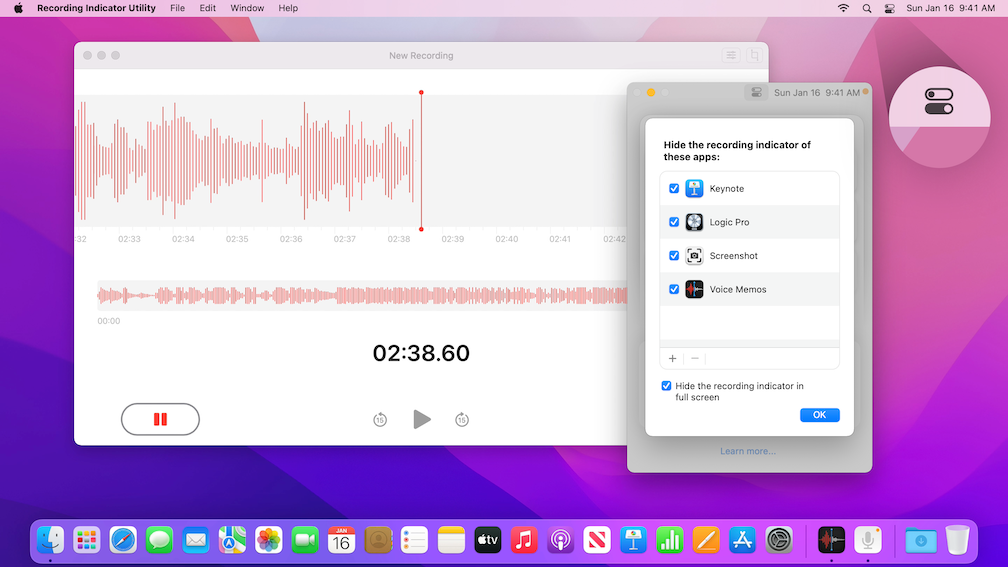
So I made Recording Indicator Utility which supports macOS 12.2 and lets you turn off the recording indicator light system-wide. You can also hide the recording indicator by choosing a list of apps or automatically hide it in full-screen. Get it here:
https://github.com/cormiertyshawn895/RecordingIndicatorUtility
-
Wow! it sure requires a lot of security bypassing to make the appropriate modifications.
I would NOT recommend the above app/configuration to any less than a Mac pro user. -
Has this issue been resolved in Venutura or is it still the same problem? If not, are there any other solutions by now? Thanks!