Capture stage to picture behavior
-
Hi all, 2 questions about Stage to picture . I have several stage to pictures in replacement mode named 1-8 . If there is no pictures in the bin, you ar not able to grab since it sees no picture to replace.. Could the initial mode be "when found no picture in the bin replace it anyhow"
Second, an old one...Capture stage to A assigned picture bin :) or am i missing something?
Cheers, Barney
Mac Studio Ultra M2 / OSX 15.5
Mac Mini M4 / OSX 15.5
Imac M1 / OSX 15.5
MacBook Pro 2,3 Ghz Intel 8 core I9 / OSX 15.5and a Motorola DynaTAC 8000X ;)
-
@barneybroomer said:
Could the initial mode be "when found no picture in the bin replace it anyhow"
You cannot replace something that is not there. Additionally, changing the way that this works could break existing patches that may rely on the current behavior. I think this would be a new mode "replace else add" (which I've now added as a feature request).
TroikaTronix Technical Support
New Support Ticket: https://support.troikatronix.com/support/tickets/new
Support Policy: https://support.troikatronix.com/support/solutions/articles/13000064762
Add-Ons: https://troikatronix.com/add-ons/ & https://troikatronix.com/add-ons/?u=woland
Professional Services: https://support.troikatronix.com/support/solutions/articles/13000109444| Isadora Version: all of them | Mac Pro (Late 2013), macOS 10.14.6, 3.5GHz 6-core, 1TB SSD, 64GB RAM, Dual AMD FirePro D700s |
-
@barneybroomer said:
I have several stage to pictures in replacement mode named 1-8 . If there is no pictures in the bin, you ar not able to grab since it sees no picture to replace..
There are two solutions to this:
The first is to prepare your file so 'replace' already works:
1. Use a Capture Stage to Picture actor set to mode 'add' to capture as many placeholder pictures as you need.
2. Select them in the media view.
3. Right-click the selected pictures and select "Clear".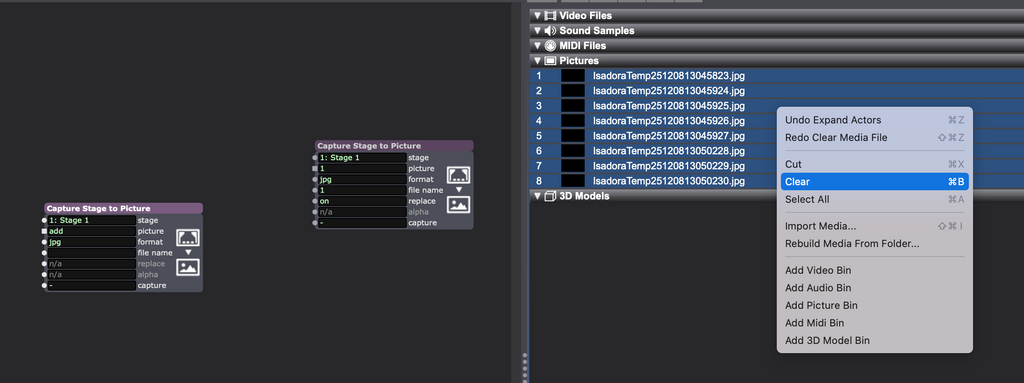
4. Thus ensuring that the desired media slots exist.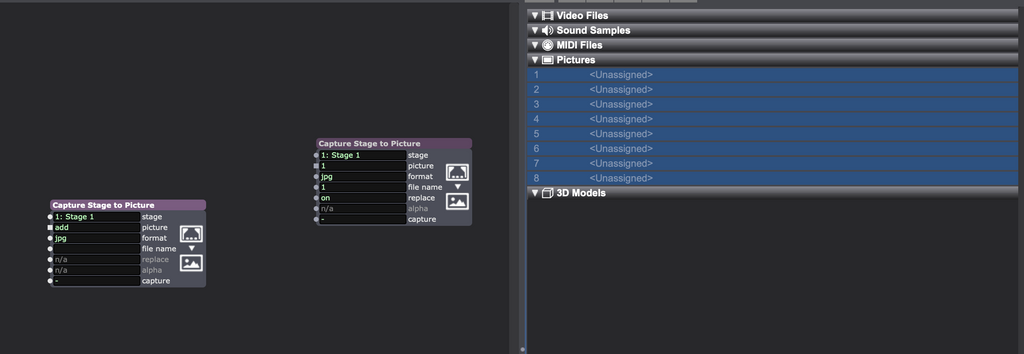
5. Thus allowing the Capture Stage to Picture actor set to mode 'replace' to function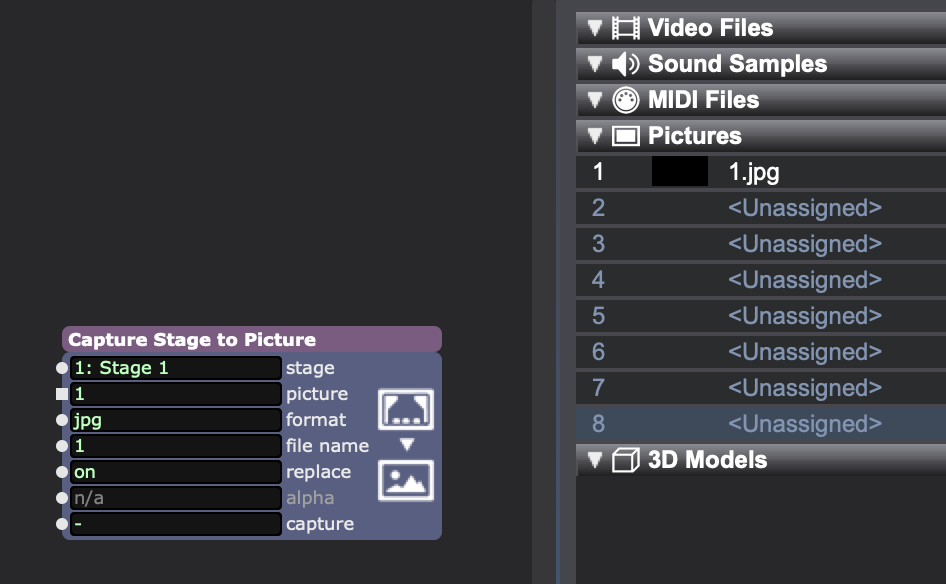
6. This even allows this to work if you don't create the new media files consecutively (here I skipped from 1 to 5).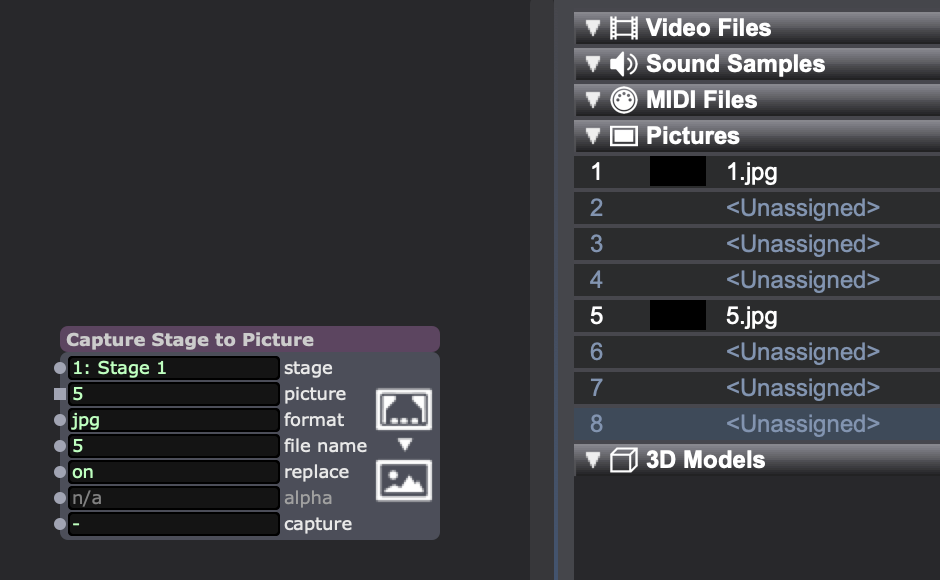
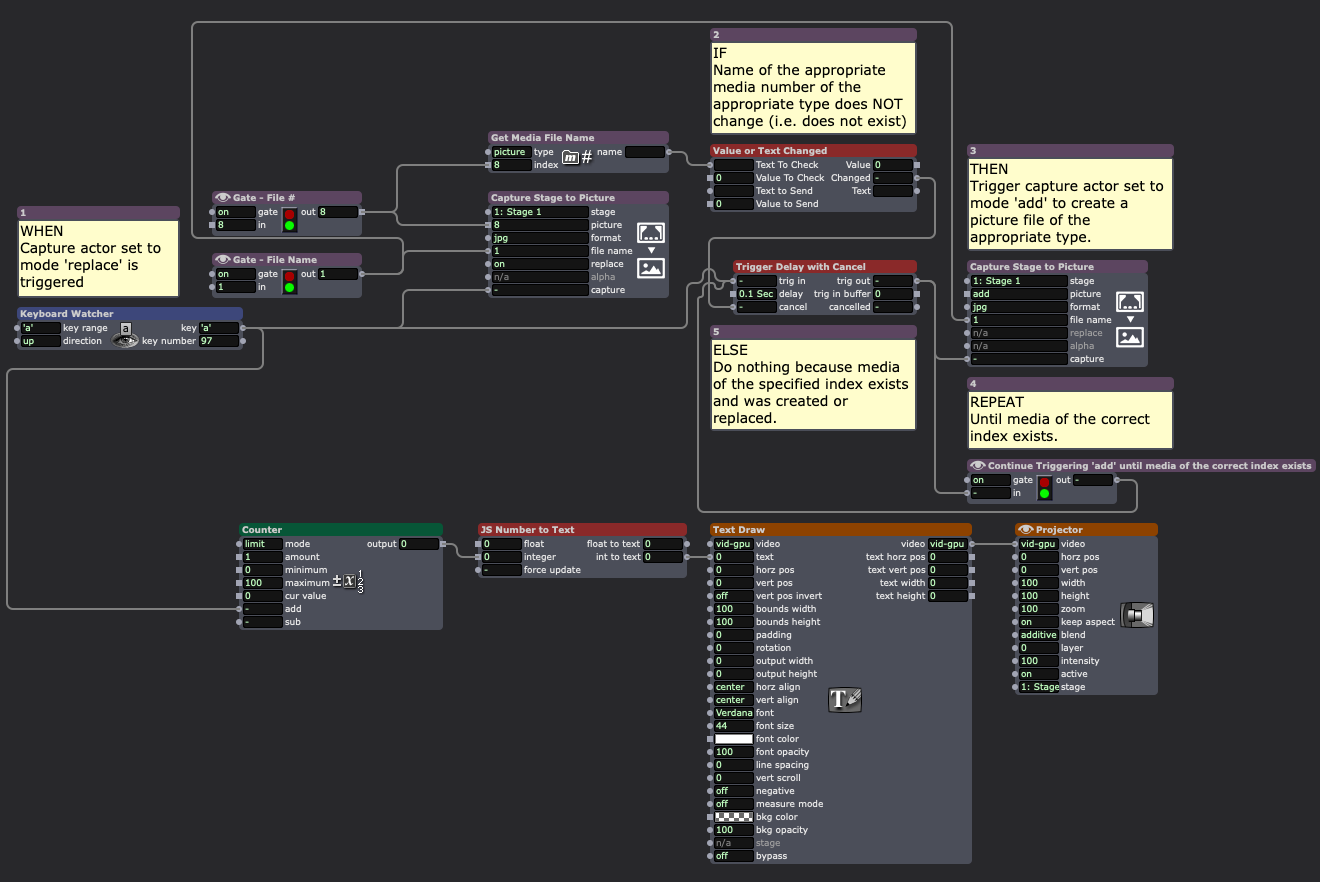
The second solution is programming a bit of logic into your patch. ---> DOWNLOAD EXAMPLE FILE
- WHEN: Capture actor set to mode 'replace' is triggered
- IF: Name of the appropriate media number of the appropriate type does NOT change (i.e. does not exist)
- THEN: Trigger capture actor set to mode 'add' to create a picture file of the appropriate type.
- REPEAT: Until media of the correct index exists.
- THEN: Trigger capture actor set to mode 'add' to create a picture file of the appropriate type.
- ELSE: Do nothing because media of the specified index exists and was created or replaced.
TroikaTronix Technical Support
New Support Ticket: https://support.troikatronix.com/support/tickets/new
Support Policy: https://support.troikatronix.com/support/solutions/articles/13000064762
Add-Ons: https://troikatronix.com/add-ons/ & https://troikatronix.com/add-ons/?u=woland
Professional Services: https://support.troikatronix.com/support/solutions/articles/13000109444| Isadora Version: all of them | Mac Pro (Late 2013), macOS 10.14.6, 3.5GHz 6-core, 1TB SSD, 64GB RAM, Dual AMD FirePro D700s |
-
@barneybroomer said:
Capture stage to A assigned picture bin :) or am i missing something?
Already a feature request but I've added this post to it as a +1.
It's worth noting that captured media will always end up in the media bin that is the topmost bin for that particular media type, so you can know ahead of time what bin all captured media will end up in.
Here I've added a second picture bin ("Pre-Imported Pictures") and imported whatever 'canned' pictures I intend to use into it. Notice the empty picture bin above it in the Media View named "Captured Pictures".
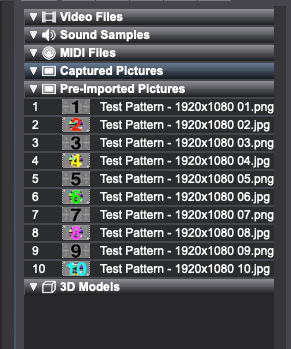
When I trigger the Capture Stage to Picture actor it will always add the newly-captured pictures into the topmost media bin of the appropriate type (in this case "Captured Pictures").
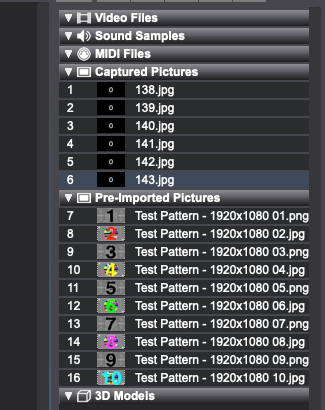
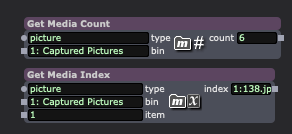
Since I ensured the top picture bin ("Captured Pictures") is the one where I intend for captured media to go, I can pre-program logic into my file that relies on knowing which bin the captured media is in (for example, logic that relies on the bin # like the Get Media Count and Get Media Index actors).
-
@woland That would be great . I understand why and how but in practice when I start a new show the workaround is loading in 8 black pictures....
-
@woland Thanks for this patch