[ANSWERED] Activate scene "Below" option
-
I'm trying to have an activated scene be underneath the content in the current scene, instead of being additive or above.
The only options under activate scene are "additive" and "above". I would really love to be able to activate a scene, and then have the new cue content be above. (example, I have a background video happening (activated scene) and then I have a ball rolling on screen in the next scene, and other content in the next scene, where the background video still rolls). There doesn't seem to be a way to do this without the layers being additive. My request is that in the activate scene section, an option could be "below".
I'm trying to avoid too many internal scene triggers, so that each cue is its own scene. Is there an alternative for this?
-
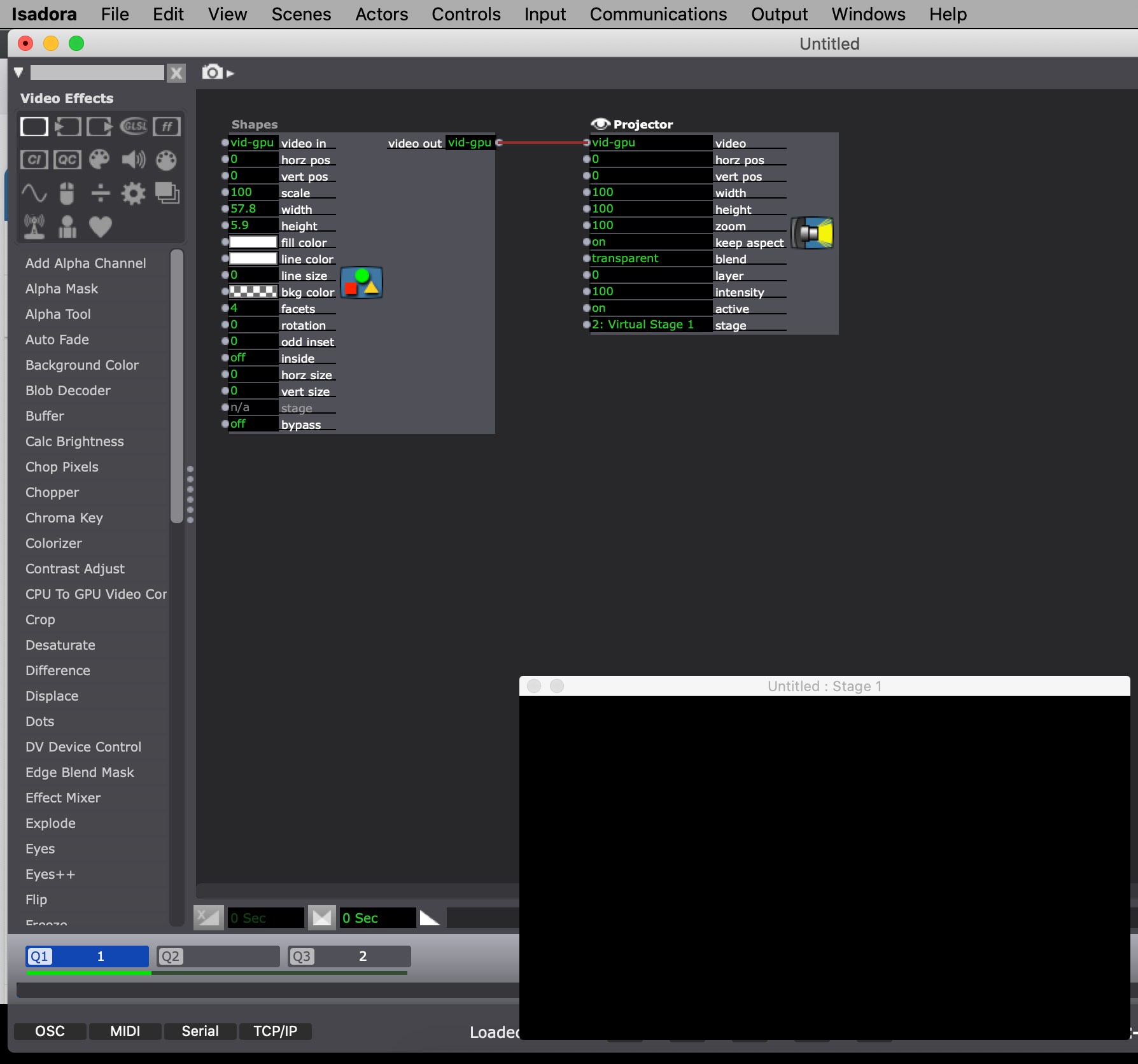
Hi! You can send the video to a virtual stage in the secondary scene you want to activate. In the active main scene, you can use the "Get Stage Image" actor, and this way you can send the video to a Projector Actor using layers. This way, alpha transparency is preserved, and you can arrange the layers as you like.
Best wishes!
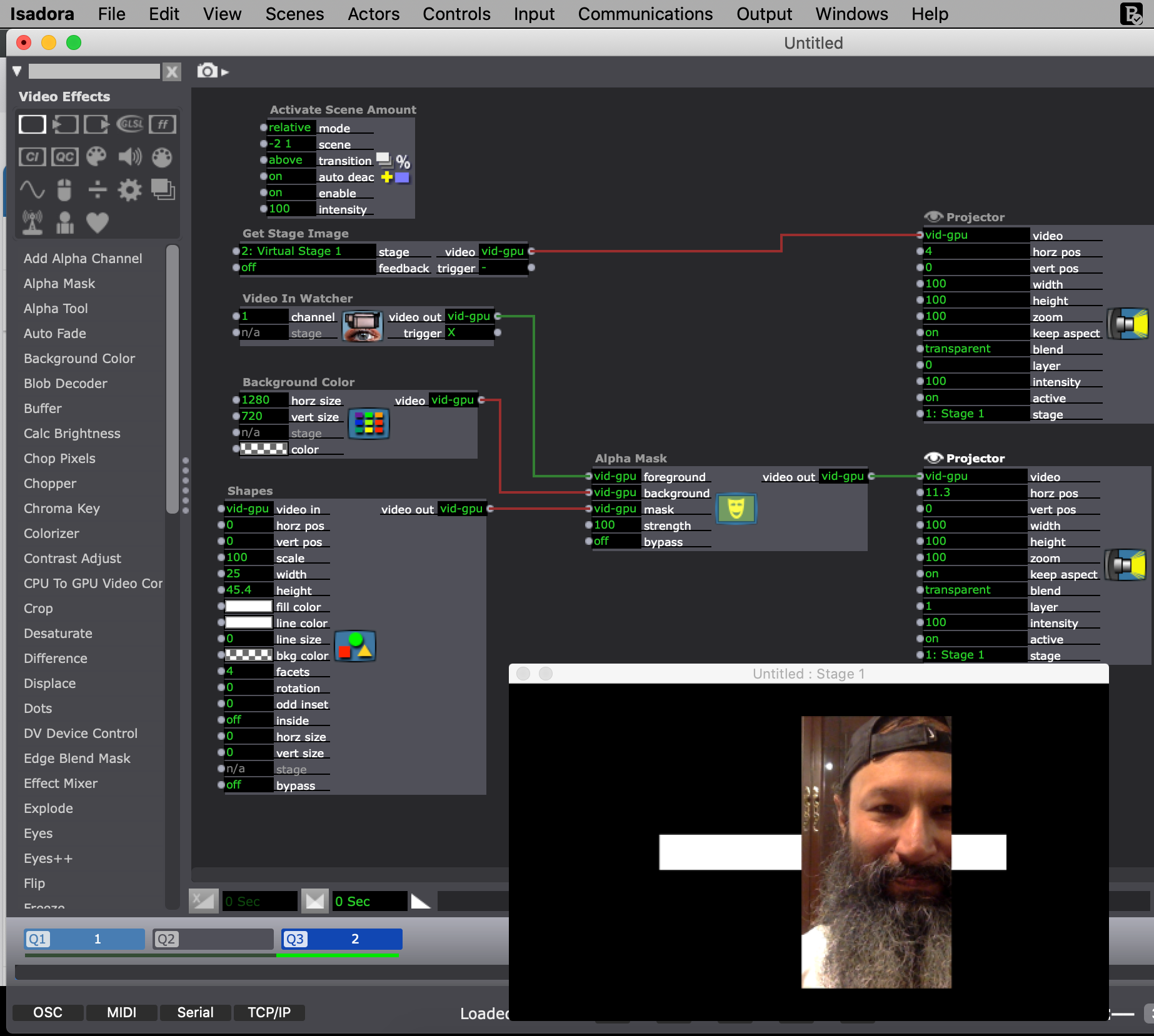
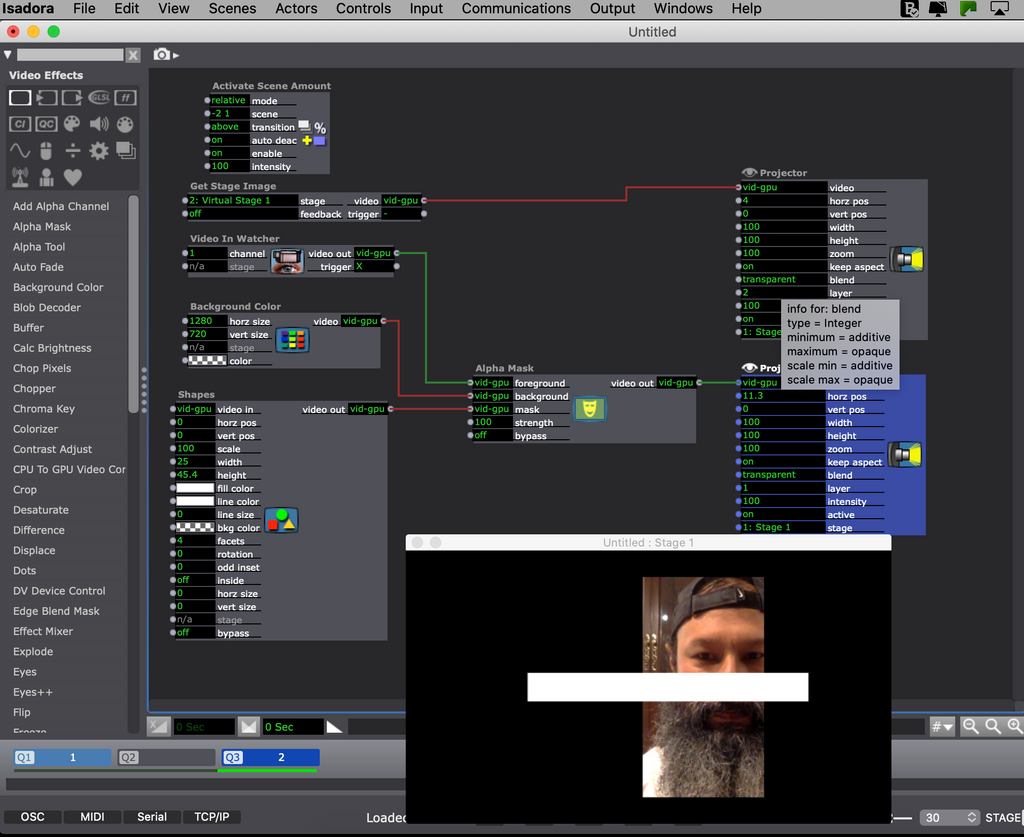
Running OS High Sierra (10.13.6) and Catalina (10.15.4), MBP 15" (2015) i7, 16 GB, Intel Iris Pro 1536 MB.
Mac mini 2023 M2Pro 16 GB (RAM), Ventura 13.4 -
-
@charlotte_e said:
I'm trying to avoid too many internal scene triggers, so that each cue is its own scene. Is there an alternative for this?
The alternative I would suggest is not to break something like this into multiple Scenes. With a Sequential Trigger actor used to start your cues in sequence, it's easy to do what you're describing in a single Scene.