• Products
    • Isadora
    • Get It
    • ADD-ONS
    • IzzyCast
    • Get It
  • Forum
  • Help
  • Werkstatt
  • Newsletter
  • Impressum
  • Dsgvo
  • Press
  • Isadora
  • Get It
  • ADD-ONS
  • IzzyCast
  • Get It
  • Press
  • Dsgvo
  • Impressum

Navigation

    • Register
    • Login
    • Search
    • Categories
    • Recent
    • Popular
    • Tags

    [LOGGED] Draw Text Actor measure output values?

    Troubleshooting and Bug Reports
    2
    2
    21
    Loading More Posts
    • Oldest to Newest
    • Newest to Oldest
    • Most Votes
    Reply
    • Reply as topic
    Log in to reply
    This topic has been deleted. Only users with topic management privileges can see it.
    • mark_m
      mark_m last edited by Woland

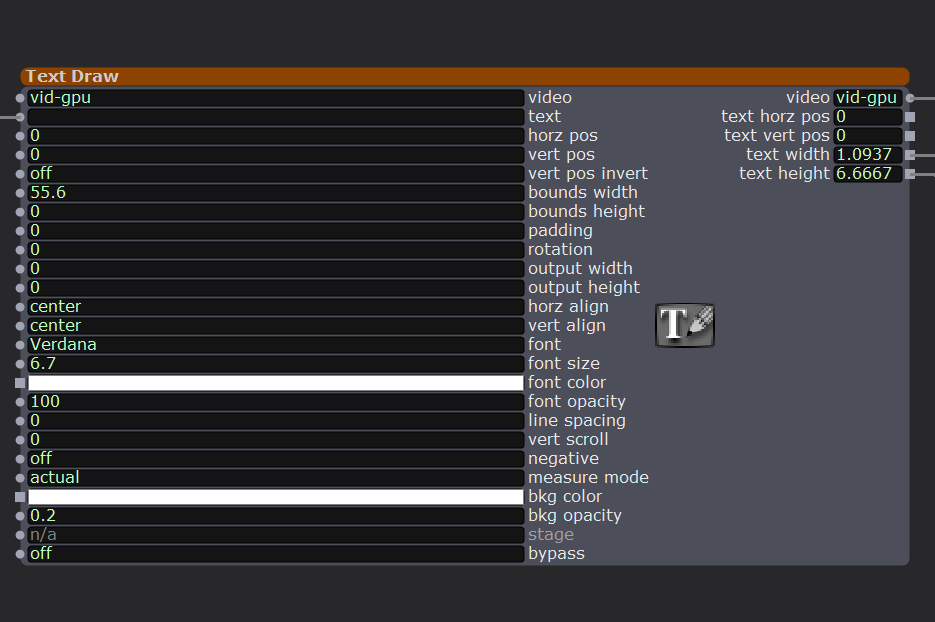
      I am using the draw text actor's measure mode to scale a shape which is the background of the text. Like the background for subtitles.
      For some reason, even when there's no text input, the text width and text height have values, when I would expect them to be zero.

      I

      I can get around this using a limit-scale-value actor, but still curious as to why this is happening...

      Thoughts? Explanations? Logic?

      Mark (not that Mark, who would know why!)

      Intel NUC8i7HVK Hades Canyon VR Gaming NUC, i7-8809G w/ Radeon RX Vega M GH 4GB Graphics, 32GB RAM, 2 x NVMe SSD
      Gigabyte Aero 15 OLED XD. Intel Core i7-11800H, NVidia RTX3070, 32GB RAM 2 x NVMe SSD
      PC Specialist Desktop: i9-14900K, RTX5080, 64GB RAM, Win11Pro
      www.natalieinsideout.com

      Woland 1 Reply Last reply Reply Quote 0
      • Woland
        Woland Tech Staff @mark_m last edited by

        @mark_m said:

        Thoughts? Explanations? Logic?

         It's showing the size of a blank character (space). Notice that if you leave the 'text' field blank or put a space in it, the text width/height doesn't change. Seems like a bug. I'll log it.


        @mark_m said:

        I can get around this using a limit-scale-value actor, but still curious as to why this is happening...

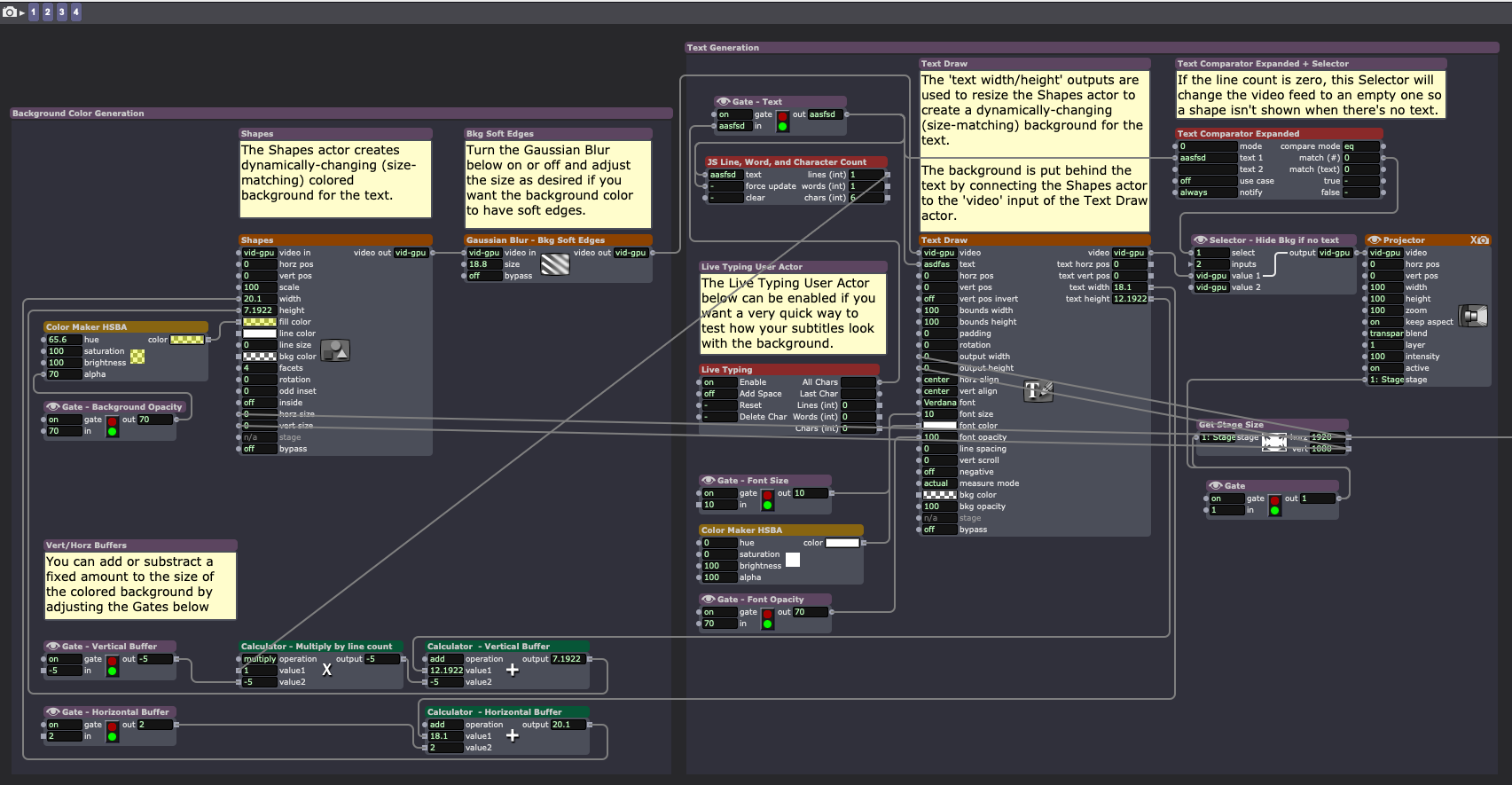
        Here's another (admittedly more complicated) way (check the top right Comment): dynamic-subtitle-background-2026-04-24-4.1.3.izz
        TroikaTronix Technical Support
        New Support Ticket: https://support.troikatronix.com/support/tickets/new
        Support Policy: https://support.troikatronix.com/support/solutions/articles/13000064762
        Add-Ons: https://troikatronix.com/add-ons/ & https://troikatronix.com/add-ons/?u=woland
        Professional Services: https://support.troikatronix.com/support/solutions/articles/13000109444

        | Isadora Version: all of them | Mac Pro (Late 2013), macOS 10.14.6, 3.5GHz 6-core, 1TB SSD, 64GB RAM, Dual AMD FirePro D700s |

        1 Reply Last reply Reply Quote 0
        • First post
          Last post