• Products
    • Isadora
    • Get It
    • ADD-ONS
    • IzzyCast
    • Get It
  • Forum
  • Help
  • Werkstatt
  • Newsletter
  • Impressum
  • Dsgvo
  • Press
  • Isadora
  • Get It
  • ADD-ONS
  • IzzyCast
  • Get It
  • Press
  • Dsgvo
  • Impressum

Navigation

    • Register
    • Login
    • Search
    • Categories
    • Recent
    • Popular
    • Tags

    [ANSWERED] Projector Blend Modes

    How To... ?
    2
    2
    47
    Loading More Posts
    • Oldest to Newest
    • Newest to Oldest
    • Most Votes
    Reply
    • Reply as topic
    Log in to reply
    This topic has been deleted. Only users with topic management privileges can see it.
    • T
      taeeix last edited by Woland

      Hello everybody!

      I'm having some issues with overlaped elements.
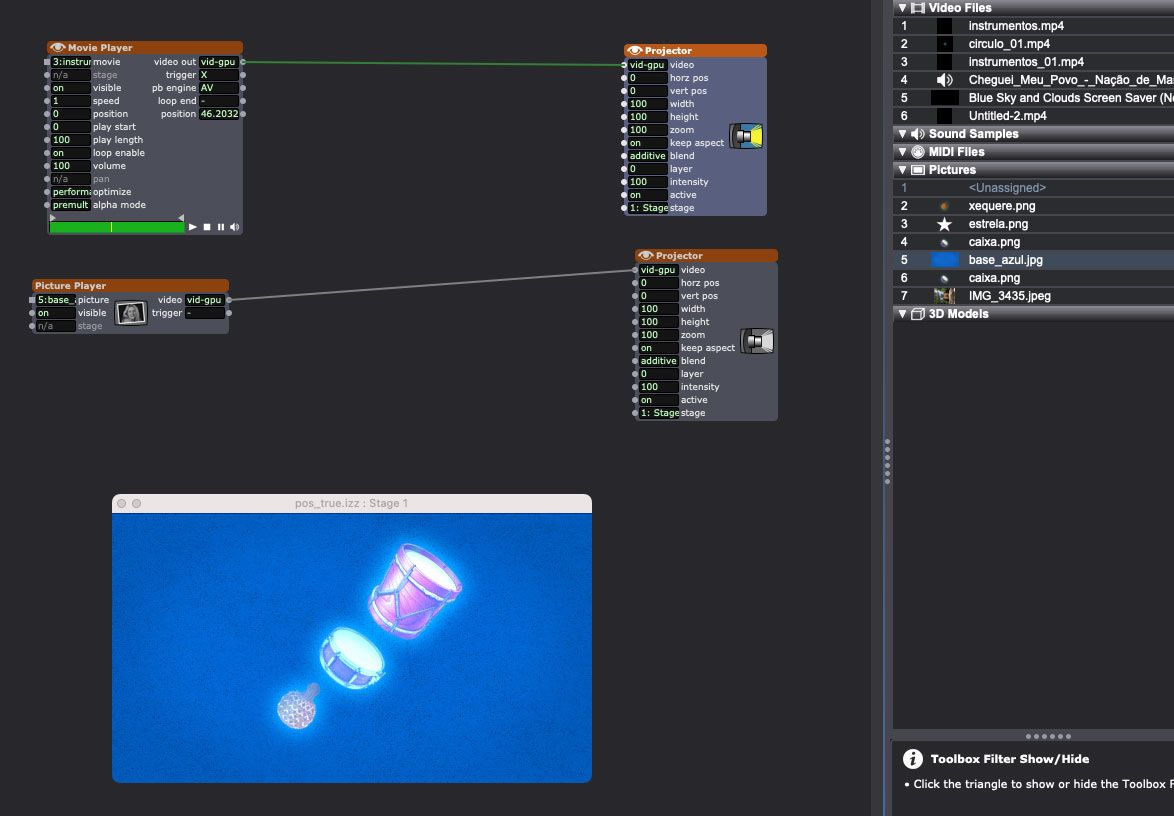
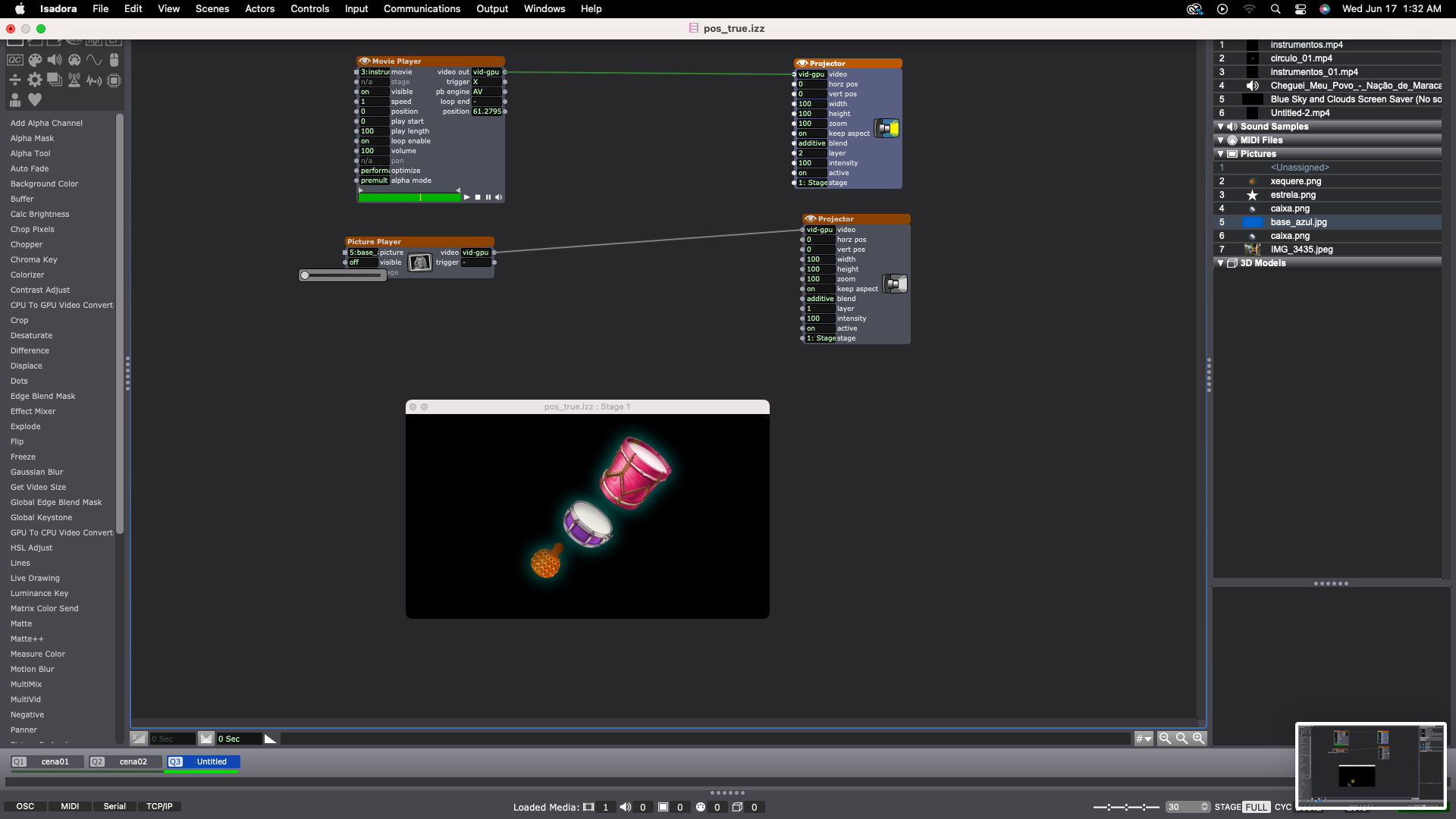
      When I combine a transparent video element with a jpg background it automatically generates a "luminous" effect on those images. It also occurs with statics elements.

      Does anybody knows how I can take this effect off and normalize this situation?

      Tks a lot :)


      img: With luminous effect in colored images


      img: Without luminous effect in colored images 
      bonemap 1 Reply Last reply Reply Quote 0
      • bonemap
        bonemap Izzy Guru @taeeix last edited by

        @taeeix

        You might try changing the video Projector actor ‘blend’ input from ‘additive’ to ‘transparent’. You could also try changing the same Projector ‘layer’ input to a higher value than the base Projector layer.

        Best wishes

        Russell
        http://bonemap.com | Australia
        Izzy STD 4.1.3 | USB 4.1.3 | + Beta
        MBP 14” 2022 M2 16GB | 26.1 Tahoe
        Mac Studio 2023 M2 Ultra 128GB | 26.1 Tahoe
        Mac Mini 2025 M4 Pro 64GB | 26.1 Tahoe
        MBP 16” 2026 M5 Max 128GB | 26.5 Tahoe

        A range of deployable older Macs

        1 Reply Last reply Reply Quote 1
        • First post
          Last post