Prevent trigger on scene load
-
Hello Izzadorians,
I do have an issue, which probably isn't unknown to many of you, since it is related to the user actor processing mode, which was introduced to Isadora 2, back in the days.
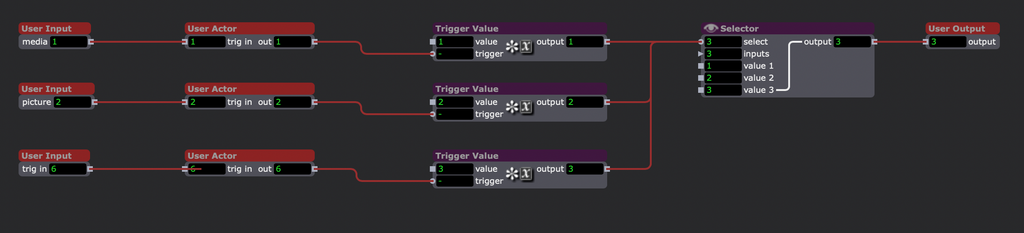
As I could not find an answer in the forum (I might not find an appropriate search term at last), I'll try it with a new thread.Below you'll find a simplified user actor, which only is a part of a more complex one, just to represent the mechanics which results in the issue. The base Idea is an automatic source selection. When content like a movie, picture or live feed is selected, the selector should be set to the according player/source actor.
The issue here is, that every time the scene is activated, the first user input value triggers to update any connected actor, which in return sets the selector to input 1, despite any other setting done in that scene before.
Example:
Scene 1: choose a content ID at user input 2, which sets the selector in scene 1 to input 2
switch to scene 2
Scene 2: select live input, which sets the selector in scene 2 to input 3
switch back to scene 1
On scene activation, the user actor sets back the selector to input 1
Same goes for the selector in scene 2, etc. when activated.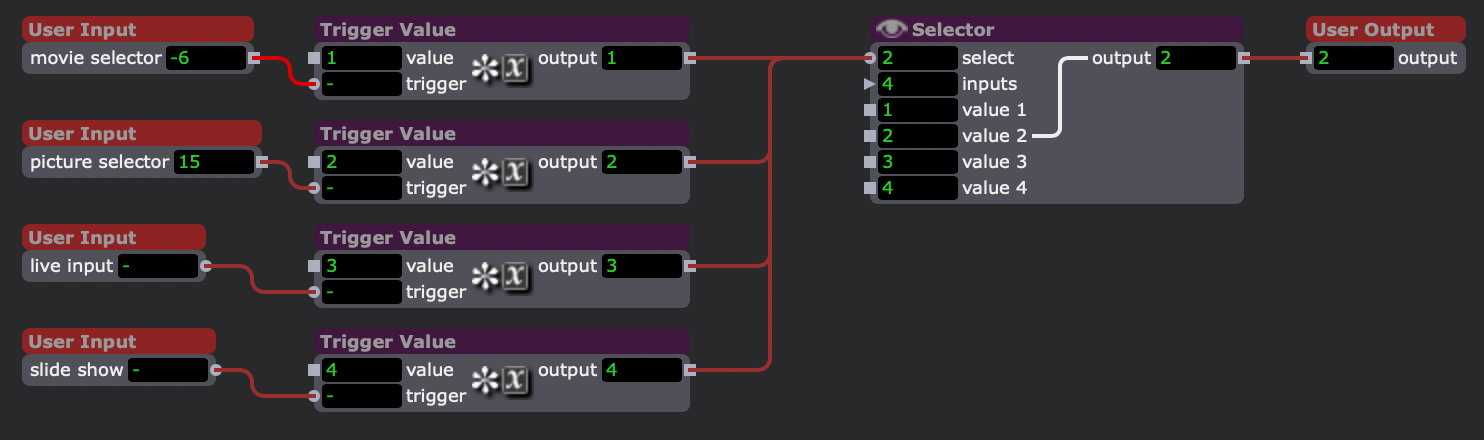
My intuitive solution would be, to build a mechanism which catches the first user input update, after scene activation and only allows updates to the selector after this first one.
But maybe there is some basic, more general solution to it I don't know and which you can tell me about?My second question is about this mechanism in general;
Why does always the first user input is the one winning this?
As the actor processing order is from top to bottom, shouldn't be the last user actor win this, as all these values will be updated one after another, having the fourth input giving his trigger at last, setting the selector to input 4?
Maybe someone can put light to this?
Thank you -
@dillthekraut said:
My intuitive solution would be, to build a mechanism which catches the first user input update, after scene activation and only allows updates to the selector after this first one.But maybe there is some basic, more general solution to it I don't know and which you can tell me about?
I think you might want to add a 'Value Changed' actor into the mix.
-
Thanks, I was excited to hear about this actor, but then I saw this in it's help text:
"Take note that upon entering a scene, the current value of 'value in' will be sent to the 'out' output, and the 'trigger' output will fire. This ensures actors connected to this actor always have the correct value."
I tried it anyway, but to no avail. -
-
my proposition:
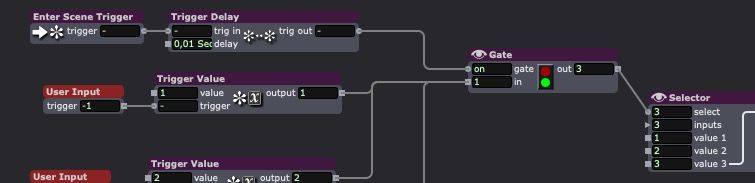
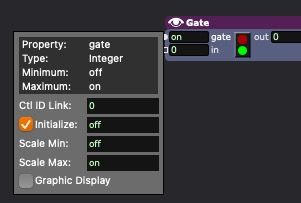
Where the gate input of the Gate Actor is set to initialize as off
-