Stage setup custom resolution not working like I expect
-
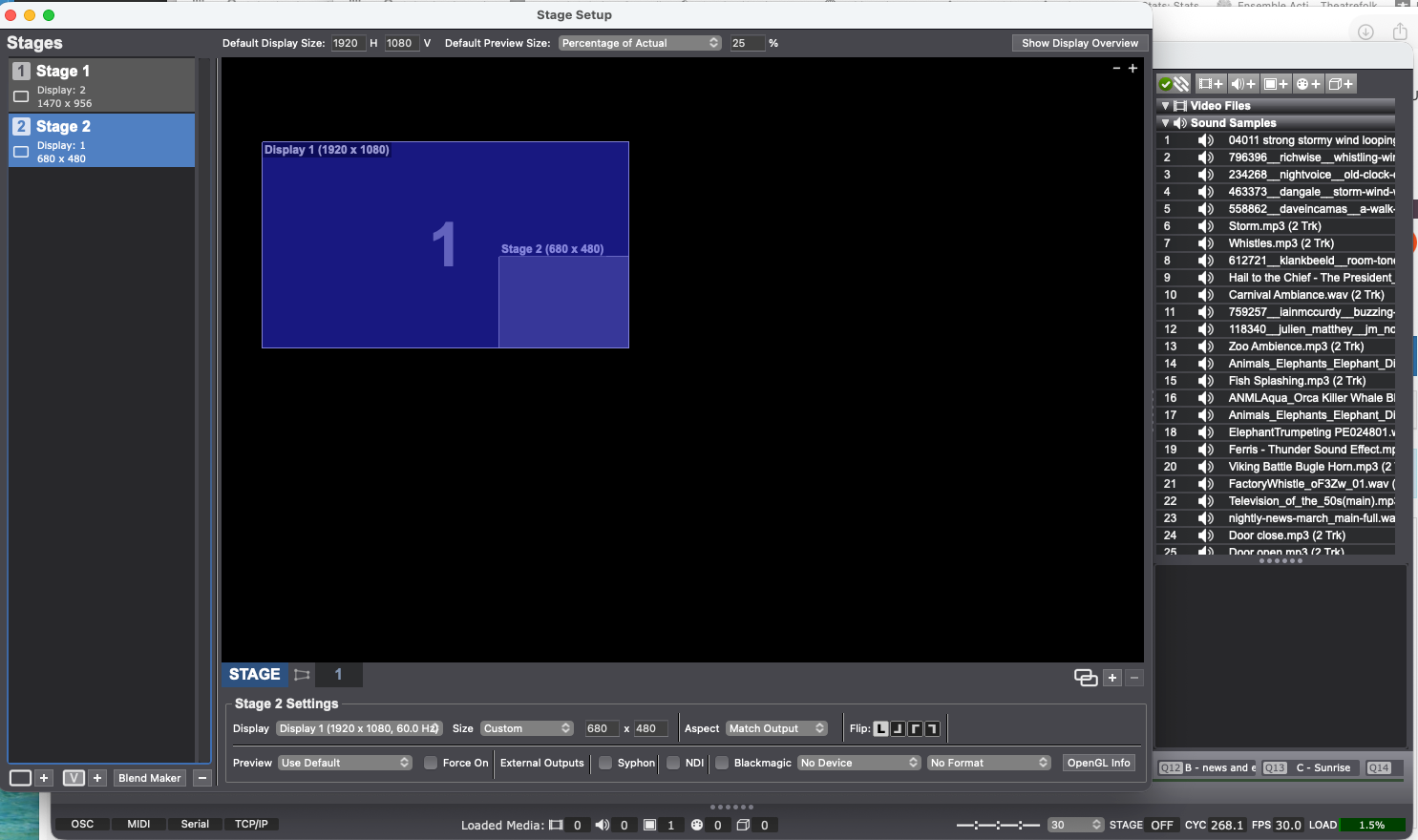
Sorry - me again. I'm trying to set up a small preview screen on my main monitor so I can make sure I'm getting an NDI feed that I need later in the scene. I want to project that onto a smaller screen on my main monitor, the one that is running Isadora. I set up stage 2 to be on my main monitor and set the size to 680x480. The screen set up looks correct. But when I show stages stage 2 is the full monitor, not 680x480. What am I missing? Thanks!
Frank SchneiderLatin School of Chicago
Izzy 4.5.1
MacBook Air 26.7.1
-
Are you looking to have it as a floating window? Because you can set that as a preview window so that when you go full screen with your primary stage that the preview remains a floating window at your designated size.
-
@dusx Sure? I just need it so I can send see what the NDI feed is sending before I project it a few cues later.
When I set stage 2 to force preview and then show stages it still shows the stage 2 full screen with the preview also. I need to just see the preview or a smaller screen on the laptop. I need to be able to see Izzy too. Is there a way to have stage 1 as shown and stage 2 as preview - as far as I can tell it's all screens one or the other, or both full screen and preview if that box is checked in stage setup.
-
Here's my workflow (if this helps) -
At intermission I have an intermission slide projected on the cyc.
Kids are logging in to a zoom meeting, and ZoomISO is sending their feeds out via NDI to Izzy.
At the top of the second act we project the kids' phone cameras on to the cyc.
I would like to be able to check to make sure everything is good between zoom and Izzy, plus I need to reset the NDI watchers to the particular feeds. I want to be able to see all this while still projecting the intermission slide on the cyc. So I was hoping to set up an additional stage (or preview) that would not take up the whole monitor on my laptop so I could adjust the NDI watchers as needed in zoom while still seeing the Izzy program window.
Thanks! FAS
-
@dusx OK I think I now understand what you are saying. Instead of sending to the main screen, I'm sending stage 2 to a display that's not assigned and then forcing preview of that and it shows on the screen like I want it to. Perfect! Thanks for putting me on the right track - FAS
