[LOGGED] Batch Naming & Renumbering User Actor Inputs/Outputs
-
Hi,
I m a new Isadora user. In my project, Im building user Actors with lots of in and outputs (e.g. 48 inputs and 144 outputs) Is there a way, to select all the inputs or outputs give them a name and incremental growing numbers in the order of selection?
and is there a way to instantly wire e.g. 48 Outputs of one Actor with 48 Inputs of another? Like in the Picture.
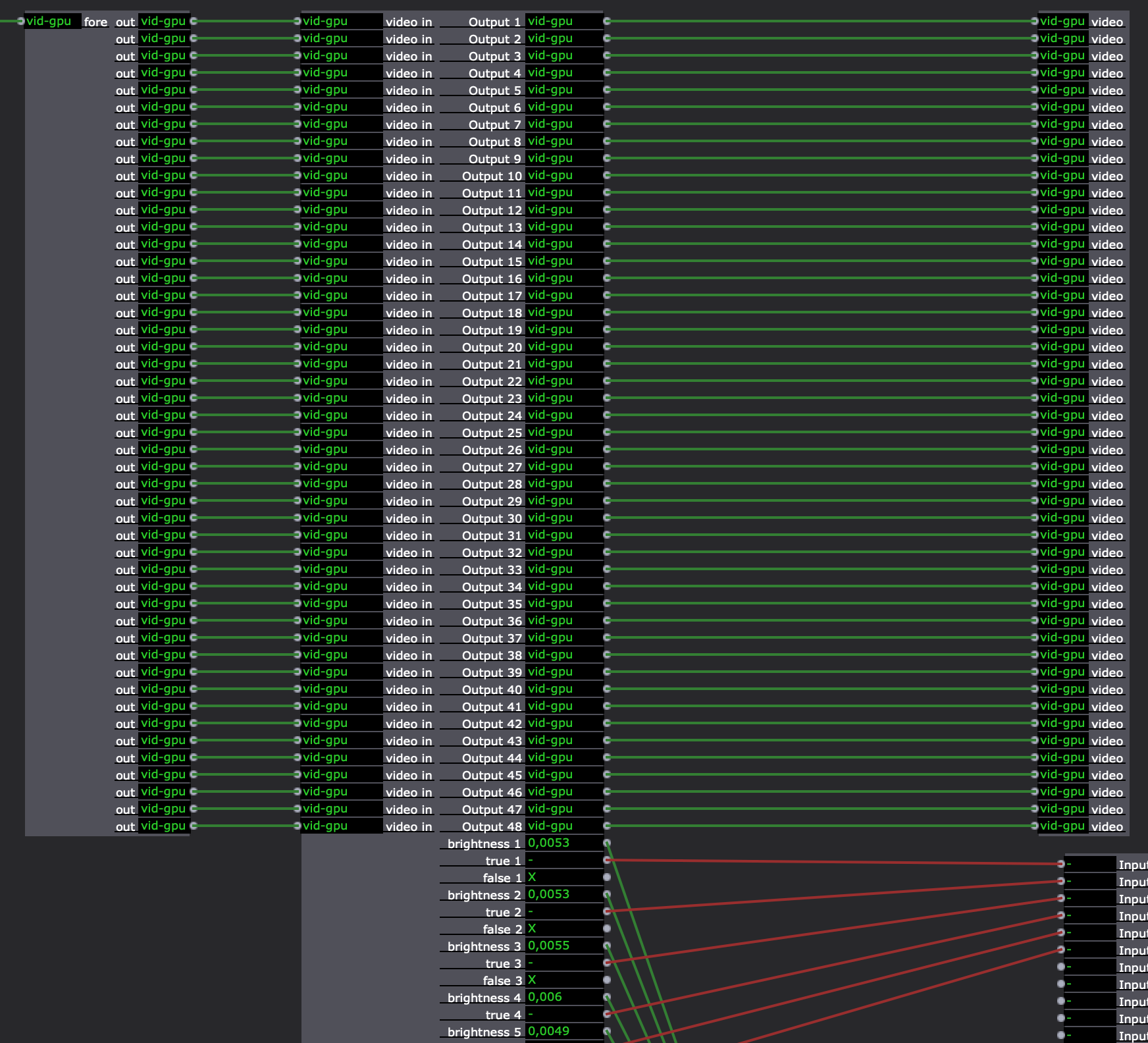
It took me hours to give all the ins and outs a proper name
Thanks for helping!
Hardy
-
No at this time there is no way to bulk rename Input or Outputs. This is a useful suggestion though, so I will add it to our feature request database.
Also, there is no way to instantly wire the numerous outputs to matching inputs (again I will add this to our feature database, if not there already).
If your Inputs and Outputs are numeric or text-based (yours appear to be all video), you can group the data into JSON inside the User Actor, so you pass only one piece of data out through a User Output and include the regrouping inside the next User Actro. This can save a ton of linking if you ar re-using the actors, or running multiple copies.
These JSON addons can help with the numeric/text data: https://troikatronix.com/add-o.. -
Hi there!
Welcome to the Isadora community forum, glad to have you here.
Could you take us with you why you need this in the first place? Not judging at all here, but it also looks a bit like there might be a better way that allows you to keep you patch a bit cleaner.
-
@hardy said:
and is there a way to instantly wire e.g. 48 Outputs of one Actor with 48 Inputs of another? Like in the Picture.
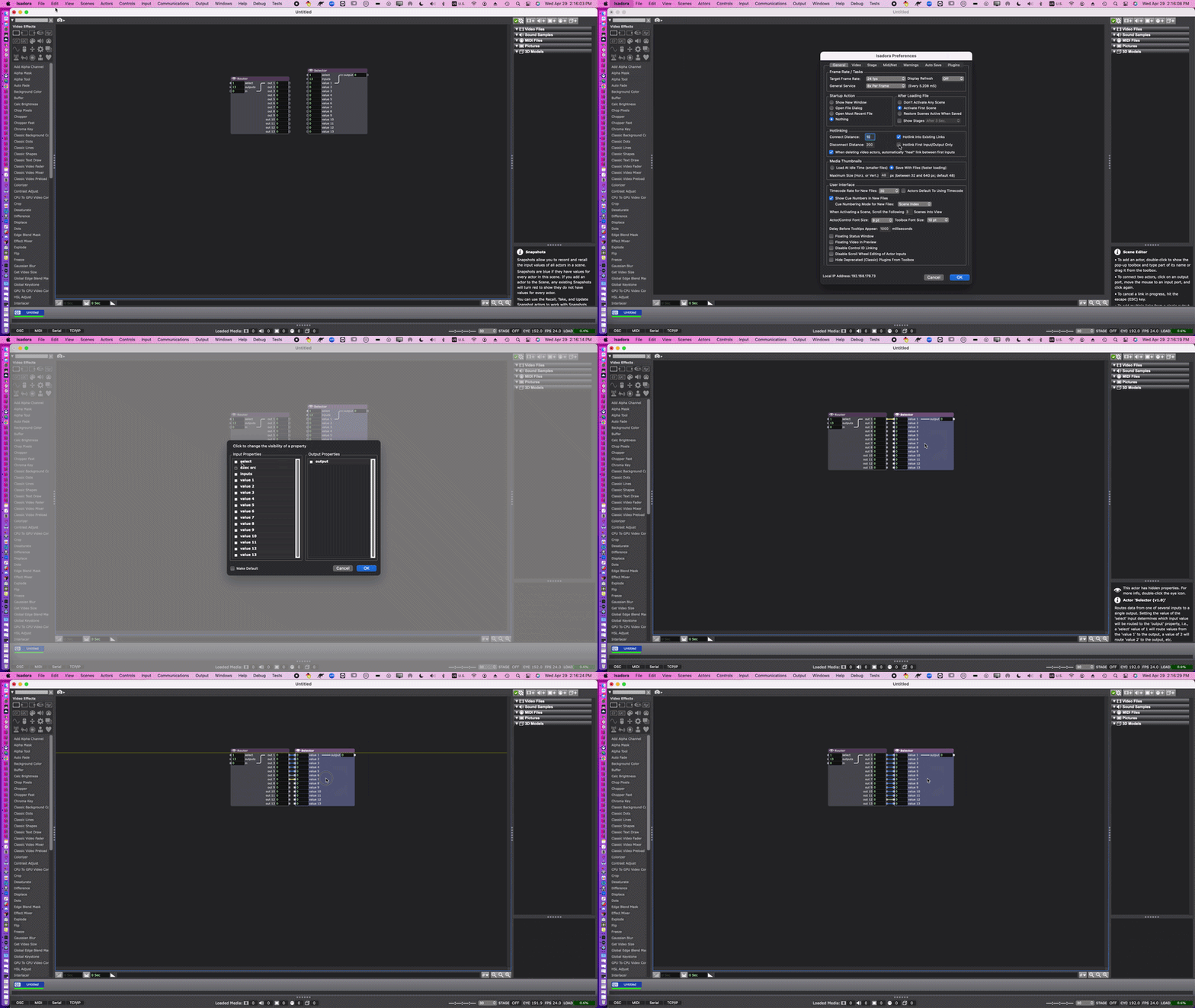
There's not a way to do it instantly, but you can do it more quickly like this: https://recordit.co/uvWPHA6m1q
You might also be able to adapt part of what I posted here, or the concept at least, into something useful if you're working with 48 video inputs and outputs: https://community.troikatronix.com/topic/7274/answered-building-a-decider-actor/4
Best wishes,
Woland
TroikaTronix Technical Support
New Support Ticket: https://support.troikatronix.com/support/tickets/new
Support Policy: https://support.troikatronix.com/support/solutions/articles/13000064762
Add-Ons: https://troikatronix.com/add-ons/ & https://troikatronix.com/add-ons/?u=woland
Professional Services: https://support.troikatronix.com/support/solutions/articles/13000109444| Isadora Version: all of them | Mac Pro (Late 2013), macOS 10.14.6, 3.5GHz 6-core, 1TB SSD, 64GB RAM, Dual AMD FirePro D700s |
-
Yes, I m building an interactive dancefloor. Therefore I use one Kamera input let it run though a difference actor and split or Bette crop this signal 48 times so that I finally have the camera signal divided into 48 signals/areas each area then runs trough a brightness measuring actor. So changes in each of this areas can trigger then a midi synth or a audiosample in my DAW.
-
-
@woland This is an old thread, but I was intrigued by it.
I was searching for ways to batch connect all 32 outputs in a Sequential Trigger to one input on a Counter actor. It's how I do supertitles for shows. It works great but SUPER tedious and time consuming. The link you posted no longer works, so I thought I'd ask about it, even though its not exactly what I'm doing.
If you have thoughts or a workaround that would be great. I think this would be a awesome feature too. It would come in handy frequently for me.
Thanks!
Jake
Izzy 3. | OSX 10.14.6| MacBook Pro (15-inch, 20 19) | 2.3 GHz Intel Core i9 | 32 GB 2400 MHz DDR4 | Radeon Pro 560X 4 GB | Intel UHD Graphics 630 1536 MB
-
@jrhooker said:
The link you posted no longer works, so I thought I'd ask about it, even though its not exactly what I'm doing.
I can't remember exactly what I did, but I'm guessing it was probably this but with User Actors that were the same as what was shown in the screenshots above:
@jrhooker said:
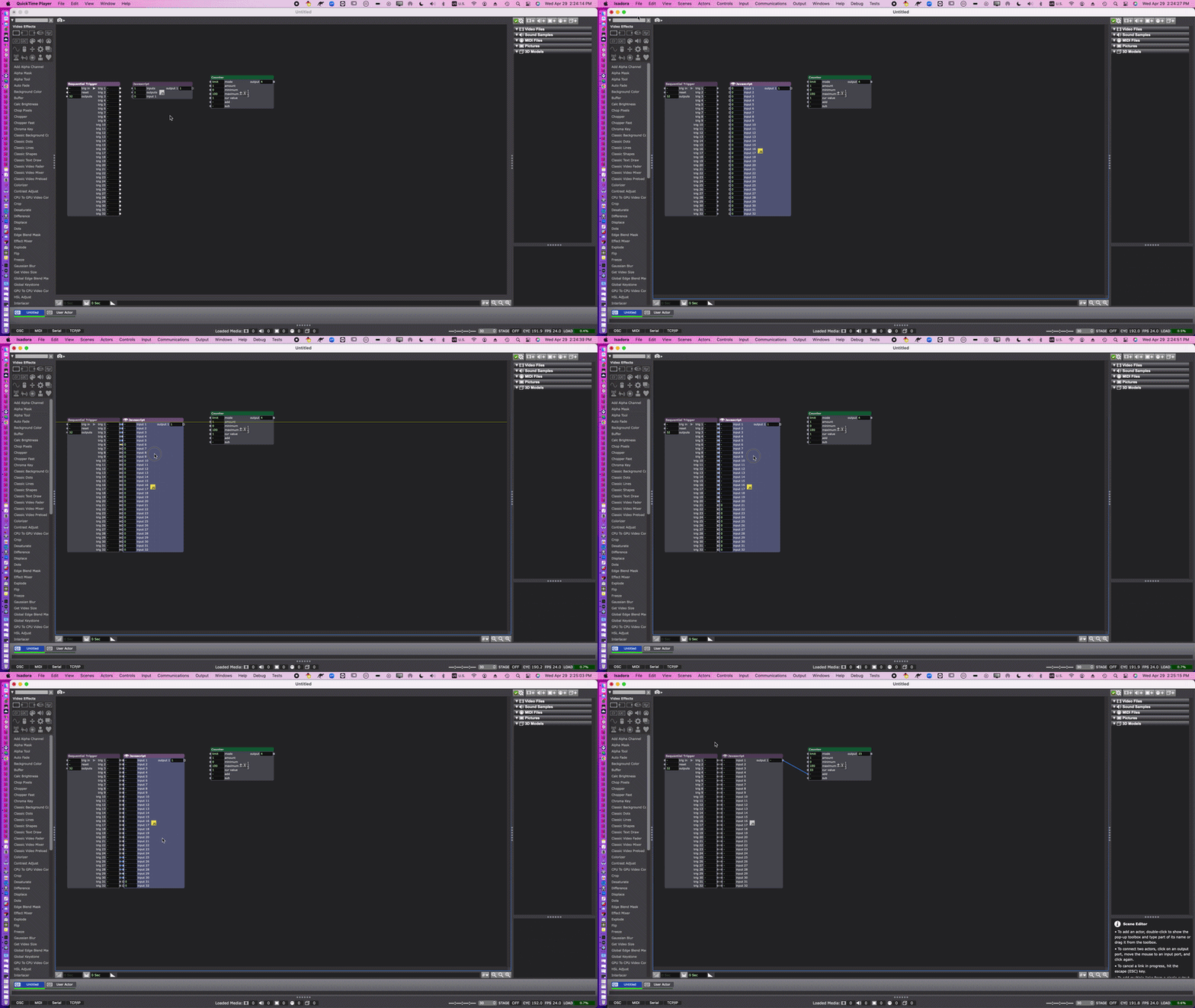
I was searching for ways to batch connect all 32 outputs in a Sequential Trigger to one input on a Counter actor. It's how I do supertitles for shows. It works great but SUPER tedious and time consuming.
For your purposes, to make it so that all inputs trigger the output, you can use a JavaScript actor with the default code:
If you do this a lot, it'd be even faster if you build a User Actor for it:
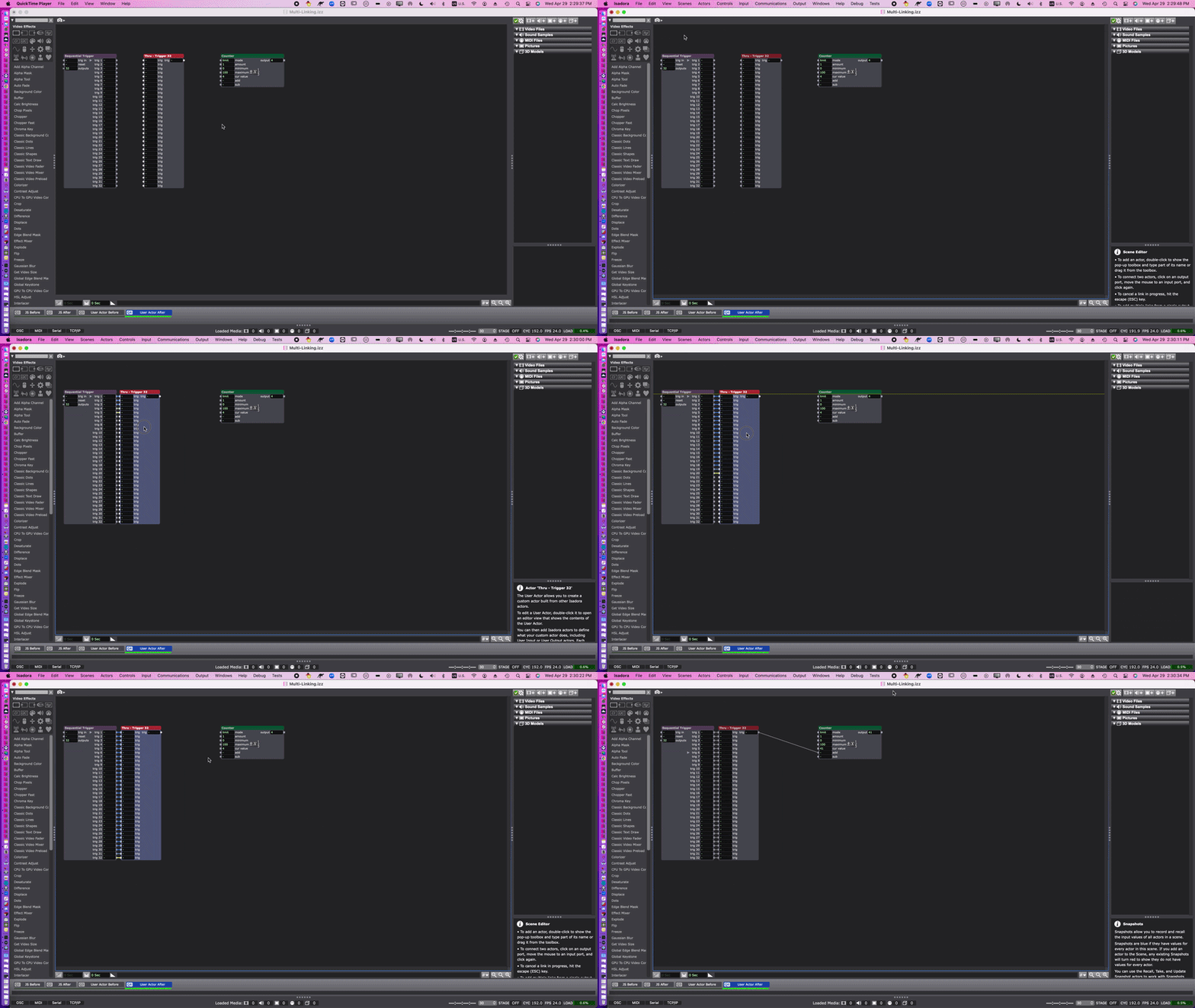
Note: The gifs are kinda low-res because of the file size limit here on the forum, but the file download below has Comment actors that explain each step I took for each of the gifs
-
Was that helpful at all?