• Products
    • Isadora
    • Get It
    • ADD-ONS
    • IzzyCast
    • Get It
  • Forum
  • Help
  • Werkstatt
  • Newsletter
  • Impressum
  • Dsgvo
  • Press
  • Isadora
  • Get It
  • ADD-ONS
  • IzzyCast
  • Get It
  • Press
  • Dsgvo
  • Impressum

Navigation

    • Register
    • Login
    • Search
    • Categories
    • Recent
    • Popular
    • Tags

    Blend Maker - Force Stage Issue

    How To... ?
    2
    2
    10
    Loading More Posts
    • Oldest to Newest
    • Newest to Oldest
    • Most Votes
    Reply
    • Reply as topic
    Log in to reply
    This topic has been deleted. Only users with topic management privileges can see it.
    • E
      emullis last edited by

      I'm new to the Blend Maker tool. I'm running a Mac Pro to two identical projectors. I'm not using a splitter; using the HDMI output to one projector and usbc adapter to the other projector.

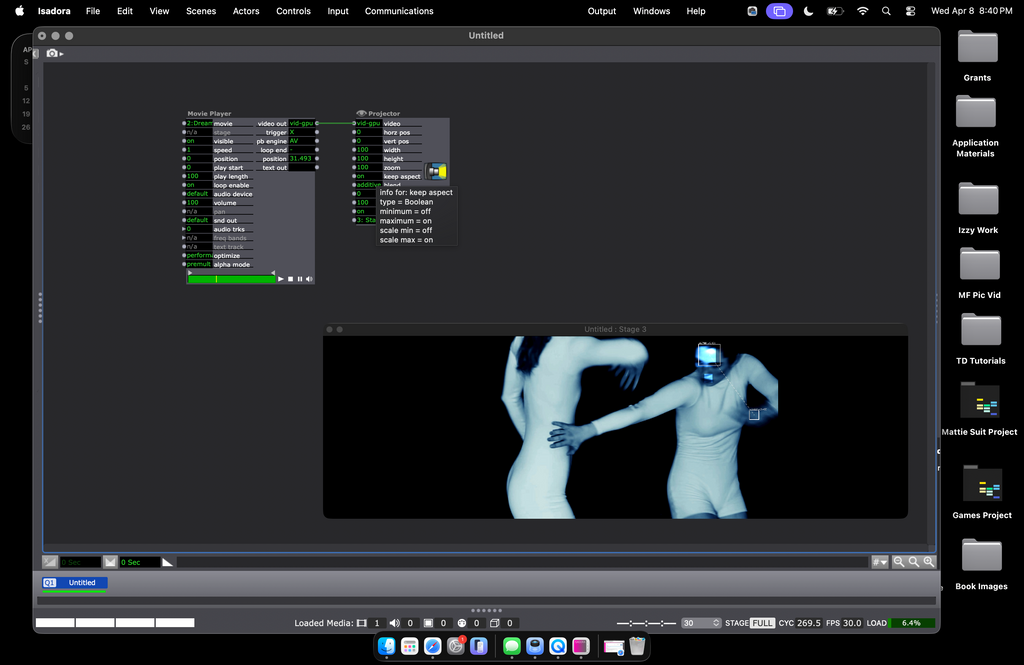
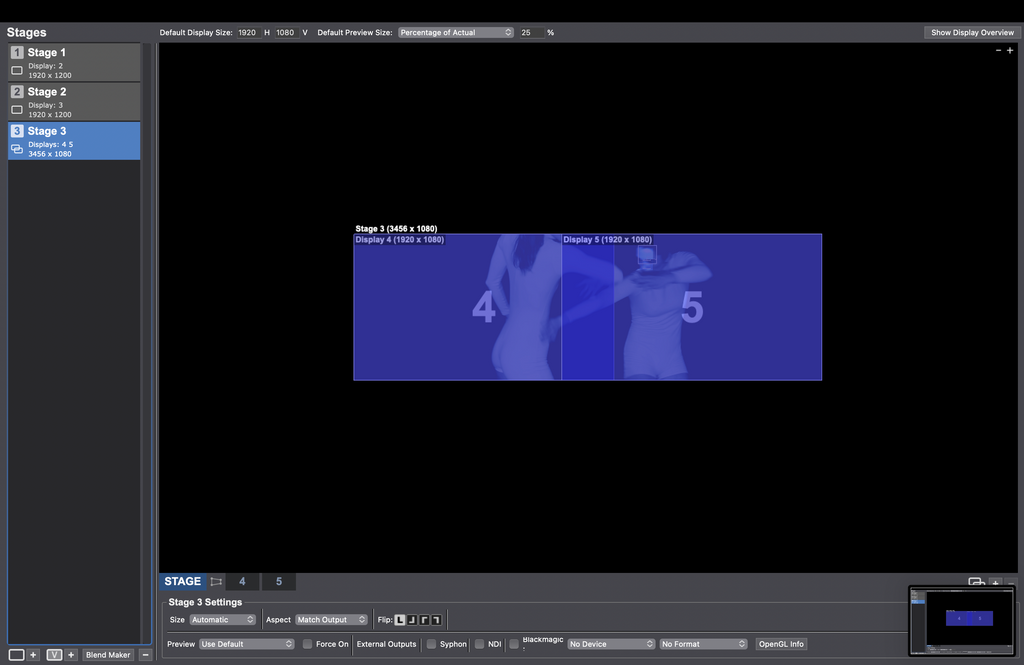
      I've got the setup going but when I preview Stage 3 (which combines stages 1 and 2), it doesn't send the blended image to go to the projectors. It just goes into force preview mode on my laptop screen. It I'm attaching screenshots of my Stage Setup Screen on my patch. Thank you for any help on this!
      1 Reply Last reply Reply Quote 0
      • DusX
        DusX Tech Staff last edited by DusX

        If you are looking to output only the two blended images you don't need the first two stages you created. The blended stage will output to two projectors.

        When you're looking at your blended stage in stage setup, you have two tabs beside the word 'stage'. In your case right now they say 4 and 5. By clicking these you can see which physical projector the stage is connected to. 

        Once you remove the other two singular stages and ensure that the blended stages are being sent to the same physical projectors that those were previously connected to you should see the output you expect.

        Troikatronix Technical Support

        • New Support Ticket Link: https://support.troikatronix.com/support/tickets/new
        • My Add-ons: https://troikatronix.com/add-ons/?u=dusx
        • Profession Services: https://support.troikatronix.com/support/solutions/articles/13000109444-professional-services

        Running: Win 11 64bit, i7, M.2 PCIe SSD's, 32gb DDR4, nVidia GTX 4070 | located in Ontario Canada.

        1 Reply Last reply Reply Quote 0
        • First post
          Last post