• Products
    • Isadora
    • Get It
    • ADD-ONS
    • IzzyCast
    • Get It
  • Forum
  • Help
  • Werkstatt
  • Newsletter
  • Impressum
  • Dsgvo
  • Press
  • Isadora
  • Get It
  • ADD-ONS
  • IzzyCast
  • Get It
  • Press
  • Dsgvo
  • Impressum

Navigation

    • Register
    • Login
    • Search
    • Categories
    • Recent
    • Popular
    • Tags

    terrible quality of live input with blackmagic

    Troubleshooting and Bug Reports
    6
    13
    2228
    Loading More Posts
    • Oldest to Newest
    • Newest to Oldest
    • Most Votes
    Reply
    • Reply as topic
    Log in to reply
    This topic has been deleted. Only users with topic management privileges can see it.
    • Z
      zedociel last edited by

      Hello there,

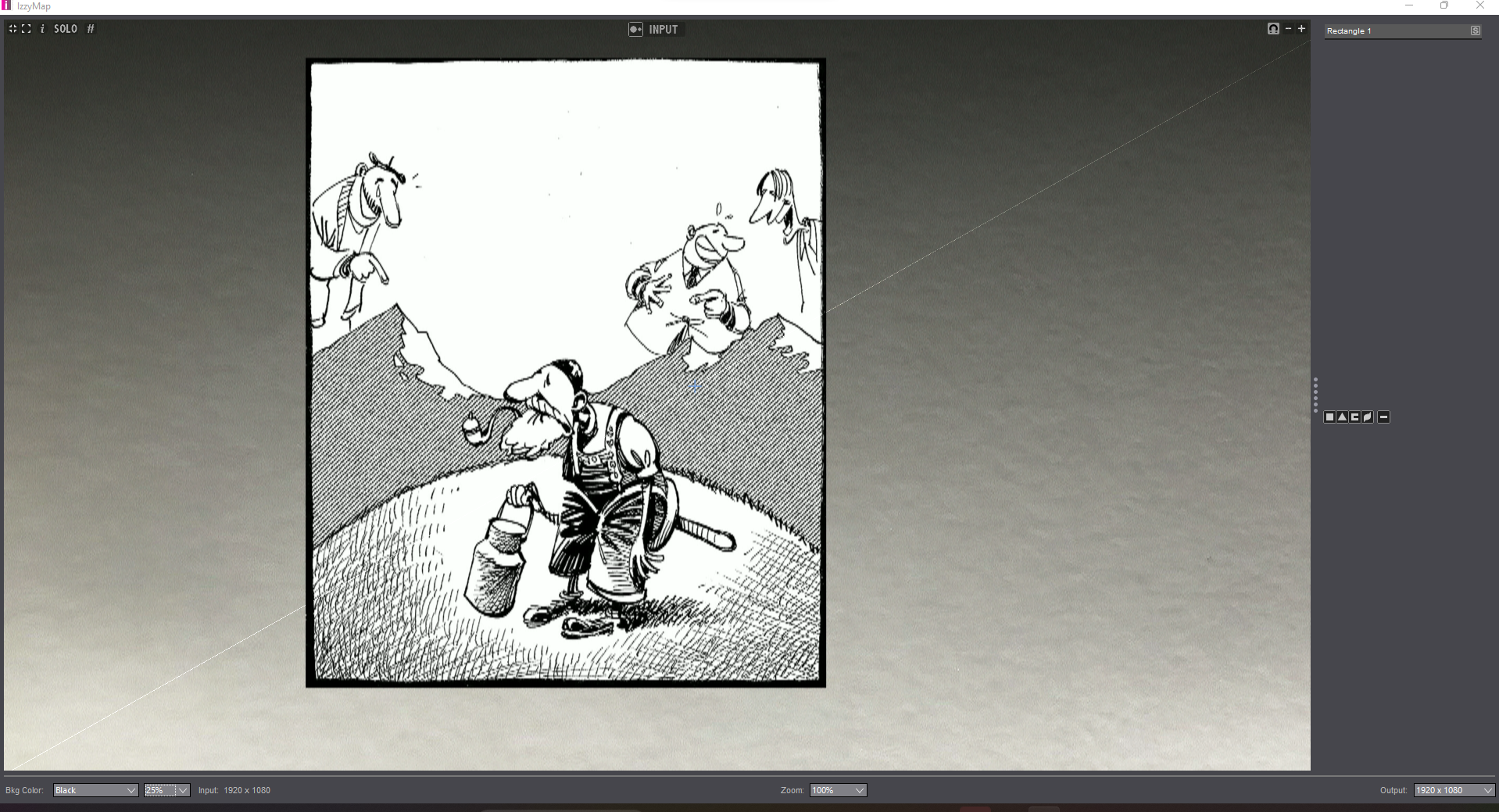
      I have a terrible quality of live video input in isadora. As it is drawing, it's really obvious and unusable. It took me a while but i discovered it's really in isadora the input is this bad.

      I join an image of the video in in isadora, and the same (same material) in madmapper. Look at the difference of quality.

      I tested it on a pc (windows11, rtx3080) and on a macbook pro m3 max late 2023, with two different capture card (decklink duo and decklink 8k pro) and the result is the same.

      Am i missing something hidden in the setup or is there an issue here.

      It's a big problem for me as i can't use this quality of image in the show.


      Isadora 3.2.1/HPOmen/NvidiaRTX3080/Windows11
      RazerBlade15Studioi7/Windows10

      mark_m Armando 2 Replies Last reply Reply Quote 0
      • mark_m
        mark_m @zedociel last edited by Woland

        @zedociel

        Agreed, the quality doesn't look good.

        What camera are you using? What's the resolution?

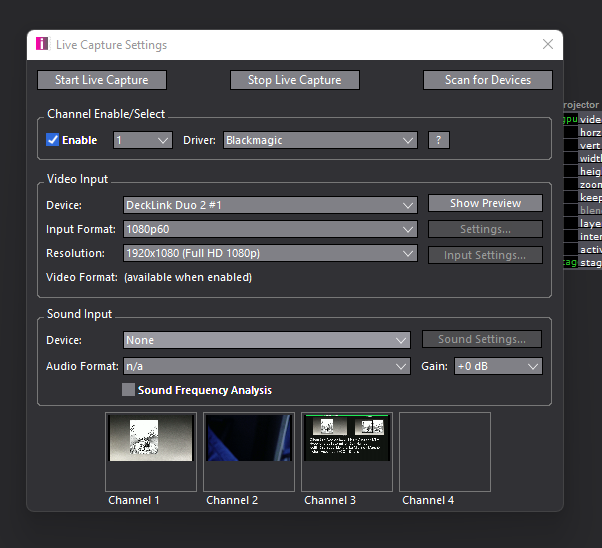
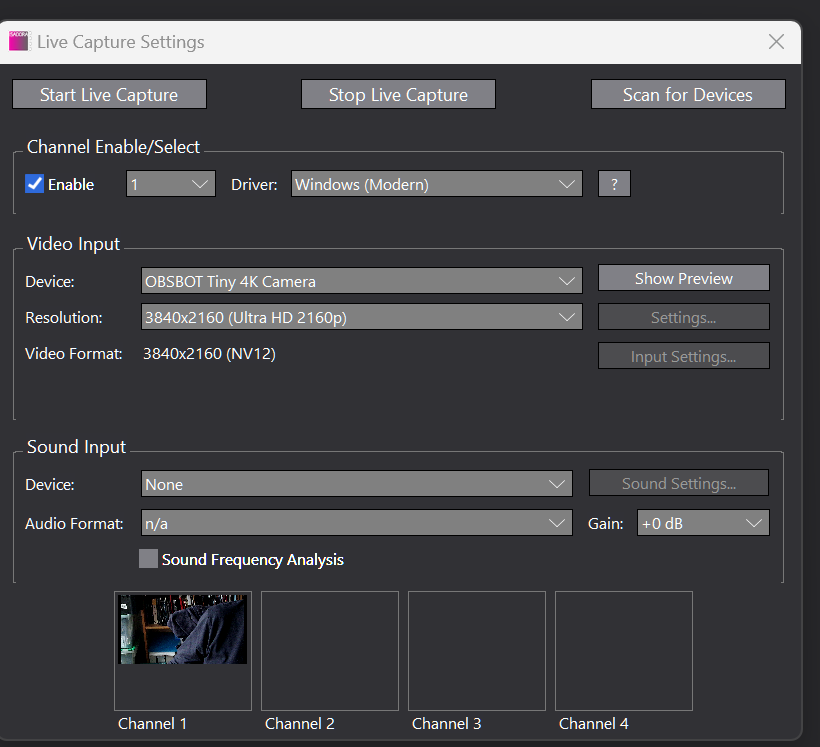
        And can you post a screenshot of your live capture settings, like this?
        Intel NUC8i7HVK Hades Canyon VR Gaming NUC, i7-8809G w/ Radeon RX Vega M GH 4GB Graphics, 32GB RAM, 2 x NVMe SSD
        Gigabyte Aero 15 OLED XD. Intel Core i7-11800H, NVidia RTX3070, 32GB RAM 2 x NVMe SSD
        PC Specialist Desktop: i9-14900K, RTX5080, 64GB RAM, Win11Pro
        www.natalieinsideout.com

        1 Reply Last reply Reply Quote 1
        • dbini
          dbini last edited by

          like Mark says - check the settings of your Live Capture, but also - check the setup of your default resolution (in preferences) and output resolution (in stage setup and Izzymap) - if everything matches, then it should look great. it will be interesting to find out what's going wrong here...

          John Collingswood
          taikabox.com
          2021 M1PRO 32GB OSX 26.3.1 & 2019 MBPT 2.6GHZ i7 OSX15.7.4 16GB
          plus an old iMac and assorted Mac Minis for installations

          1 Reply Last reply Reply Quote 3
          • CitizenJoe
            CitizenJoe last edited by

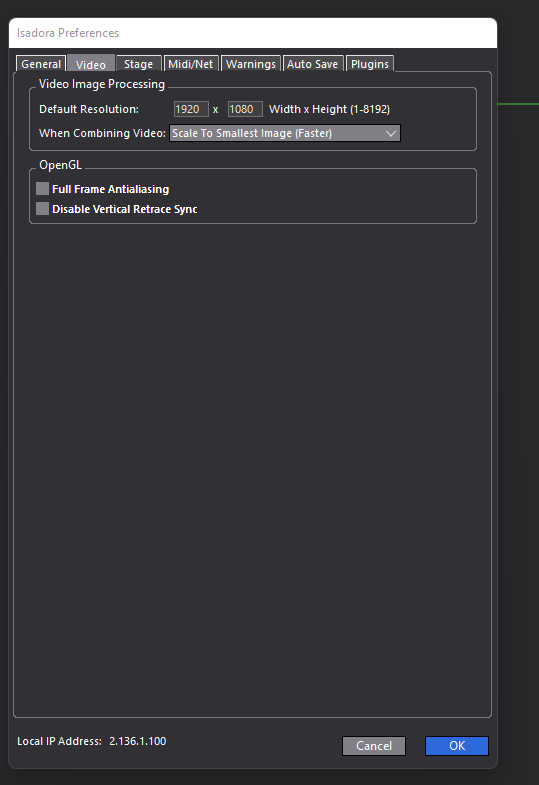
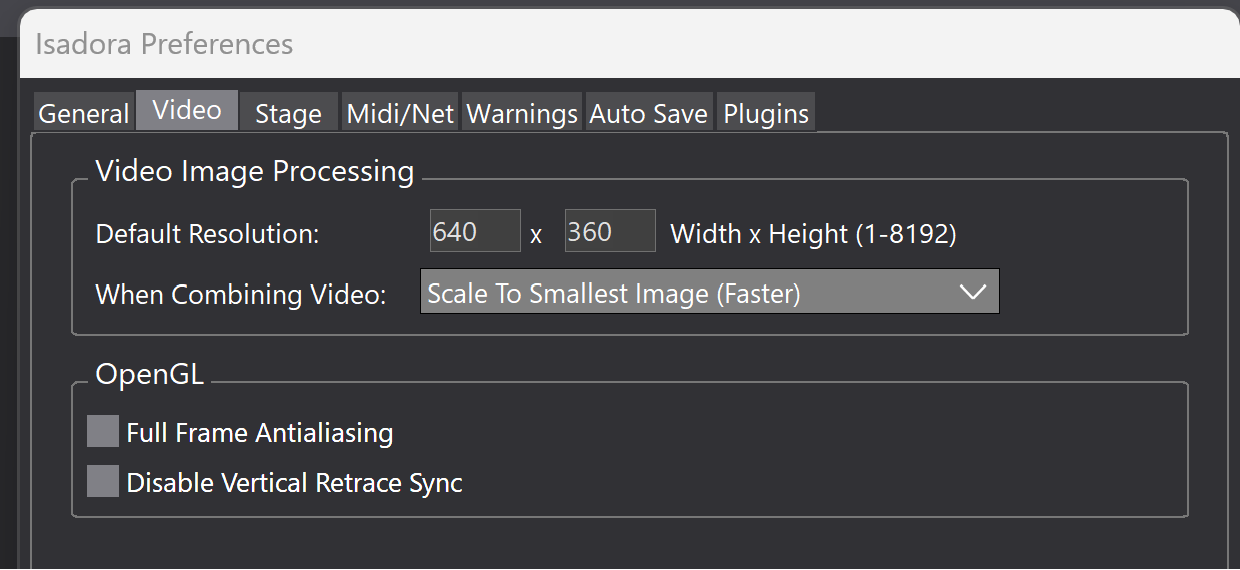
            Also, in Preferences have a look here and try changing the default resolution to whatever you are outputting, or to the resolution of the image:

            Cheers,

            Hugh
            Hugh in Winnipeg - All test machines, Win11 Pro, 64 bit, OS SSD and separate data SSD.
            Dell 7560, i9 11950H, 64 gigs, NVIDIA RTX A4000 w/8 GB GDDR6

            1 Reply Last reply Reply Quote 2
            • Z
              zedociel last edited by

              The picture is straight from another mac (no camera involved).

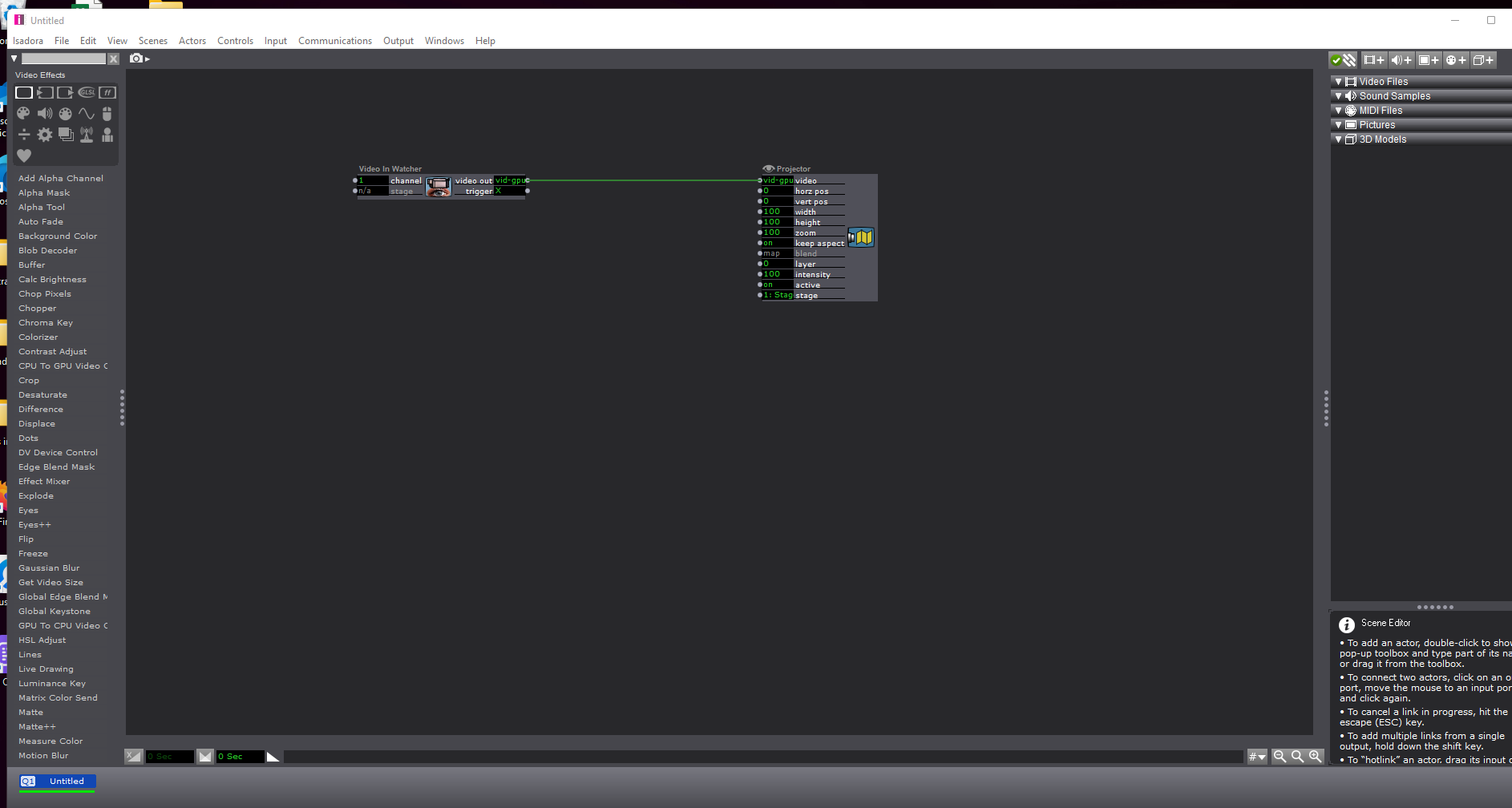
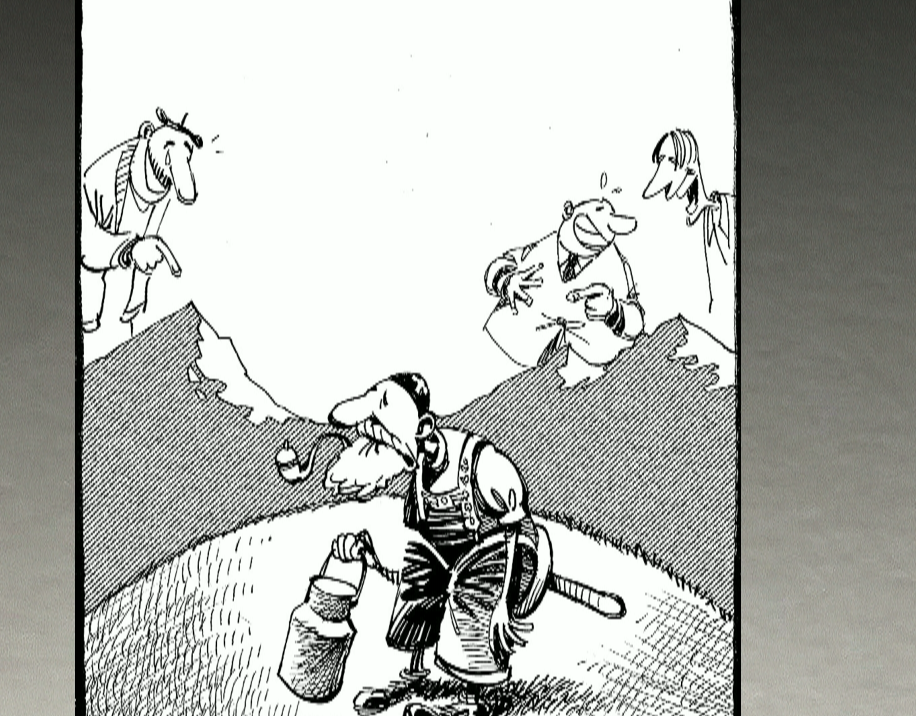
              As i am troubleshooting it's a straight patch (no effects, no nothing). You can see in the izzymap window it's already terrible...

              On mac it's the same...

              Please help...
              Isadora 3.2.1/HPOmen/NvidiaRTX3080/Windows11
              RazerBlade15Studioi7/Windows10

              mark_m 1 Reply Last reply Reply Quote 0
              • Z
                zedociel last edited by

                Sorry, more screenshots

                Isadora 3.2.1/HPOmen/NvidiaRTX3080/Windows11
                RazerBlade15Studioi7/Windows10

                Woland 1 Reply Last reply Reply Quote 0
                • Woland
                  Woland Tech Staff @zedociel last edited by

                  @zedociel

                  In Isadora Preferences > Video > OpenGL try enabling Full Frame Antialiasing.

                  Also, what is the resolution of the camera you are using?

                  TroikaTronix Technical Support
                  New Support Ticket: https://support.troikatronix.com/support/tickets/new
                  Support Policy: https://support.troikatronix.com/support/solutions/articles/13000064762
                  Add-Ons: https://troikatronix.com/add-ons/ & https://troikatronix.com/add-ons/?u=woland
                  Professional Services: https://support.troikatronix.com/support/solutions/articles/13000109444

                  | Isadora Version: all of them | Mac Pro (Late 2013), macOS 10.14.6, 3.5GHz 6-core, 1TB SSD, 64GB RAM, Dual AMD FirePro D700s |

                  1 Reply Last reply Reply Quote 0
                  • Armando
                    Armando Beta Gold @zedociel last edited by

                    @zedociel I Blackmagic cameras every day in 4k and everything os and looks great on a mac....

                    Armando Menicacci
                    www.studiosit.ca
                    MacBook Pro 16-inch, 2021 Apple M1 Max, RAM 64 GB, 4TB SSD, Mac OS Sonoma 14.4.1 (23E224)

                    dbini 1 Reply Last reply Reply Quote 0
                    • dbini
                      dbini @Armando last edited by

                      @armando @Woland - OP states that they are not using a camera - i assume it is a HDMI out from another computer, into a capture device.

                      John Collingswood
                      taikabox.com
                      2021 M1PRO 32GB OSX 26.3.1 & 2019 MBPT 2.6GHZ i7 OSX15.7.4 16GB
                      plus an old iMac and assorted Mac Minis for installations

                      Armando Woland 2 Replies Last reply Reply Quote 1
                      • mark_m
                        mark_m @zedociel last edited by

                        @zedociel said:

                        The picture is straight from another mac (no camera involved).

                         You could do this in a completely different way by sending the image from one computer to another using NDI, thus eliminating the need for HDMI output / capture cards etc.

                        Intel NUC8i7HVK Hades Canyon VR Gaming NUC, i7-8809G w/ Radeon RX Vega M GH 4GB Graphics, 32GB RAM, 2 x NVMe SSD
                        Gigabyte Aero 15 OLED XD. Intel Core i7-11800H, NVidia RTX3070, 32GB RAM 2 x NVMe SSD
                        PC Specialist Desktop: i9-14900K, RTX5080, 64GB RAM, Win11Pro
                        www.natalieinsideout.com

                        1 Reply Last reply Reply Quote 1
                        • Armando
                          Armando Beta Gold @dbini last edited by

                          @dbini I got that, but as for the capture it should be exactly the same. My card in a sonned usbc cabinet on mac is not the same mine is Decklink quad HDMI

                          Armando Menicacci
                          www.studiosit.ca
                          MacBook Pro 16-inch, 2021 Apple M1 Max, RAM 64 GB, 4TB SSD, Mac OS Sonoma 14.4.1 (23E224)

                          1 Reply Last reply Reply Quote 0
                          • Woland
                            Woland Tech Staff @dbini last edited by

                            @dbini said:

                            @Woland - OP states that they are not using a camera - i assume it is a HDMI out from another computer, into a capture device.

                             One of these days I really should learn how to read... 😅

                            TroikaTronix Technical Support
                            New Support Ticket: https://support.troikatronix.com/support/tickets/new
                            Support Policy: https://support.troikatronix.com/support/solutions/articles/13000064762
                            Add-Ons: https://troikatronix.com/add-ons/ & https://troikatronix.com/add-ons/?u=woland
                            Professional Services: https://support.troikatronix.com/support/solutions/articles/13000109444

                            | Isadora Version: all of them | Mac Pro (Late 2013), macOS 10.14.6, 3.5GHz 6-core, 1TB SSD, 64GB RAM, Dual AMD FirePro D700s |

                            1 Reply Last reply Reply Quote 0
                            • Z
                              zedociel last edited by

                              It's the hdmi output from another mac.

                              Resolution is 1080p60.

                              I tried the three video setup (scale to smallest, largest, default).

                              With or without antialiasing...

                              Anyway, i tried it on a new patch, video in watcher straight to projector, so there should be no scaling nowhere.

                              When i let the mouse on the link, it tells the output from the video in watcher in 1080p60

                              For now, i'm using spout/syphon from madmapper to have the good image quality.

                              Once again, the setup was tested both on mac and pc, with a decklink duo 2 and a decklink 8k pro.

                              Isadora 3.2.1/HPOmen/NvidiaRTX3080/Windows11
                              RazerBlade15Studioi7/Windows10

                              1 Reply Last reply Reply Quote 0
                              • First post
                                Last post